

What AI Recommendations Do
When customers are transferred to a human agent, the conversation often reveals why the AI Agent could not finish the job. AI Recommendations groups repeated failures into gap types and recommends the next admin action: add missing knowledge, connect live customer or business data, or create an automation Skill for an external operation.Who Should Use It
This feature is designed for support operations, customer experience operations, AI Agent admins, and anyone responsible for keeping the AI Agent’s Knowledge base accurate and complete. Use AI Recommendations as a regular review queue: open the page, review the most important suggested gaps, and take the recommended action for each type.Where to Find It
- Open your AI Agent configuration.
- In the left sidebar, select Recommendation.
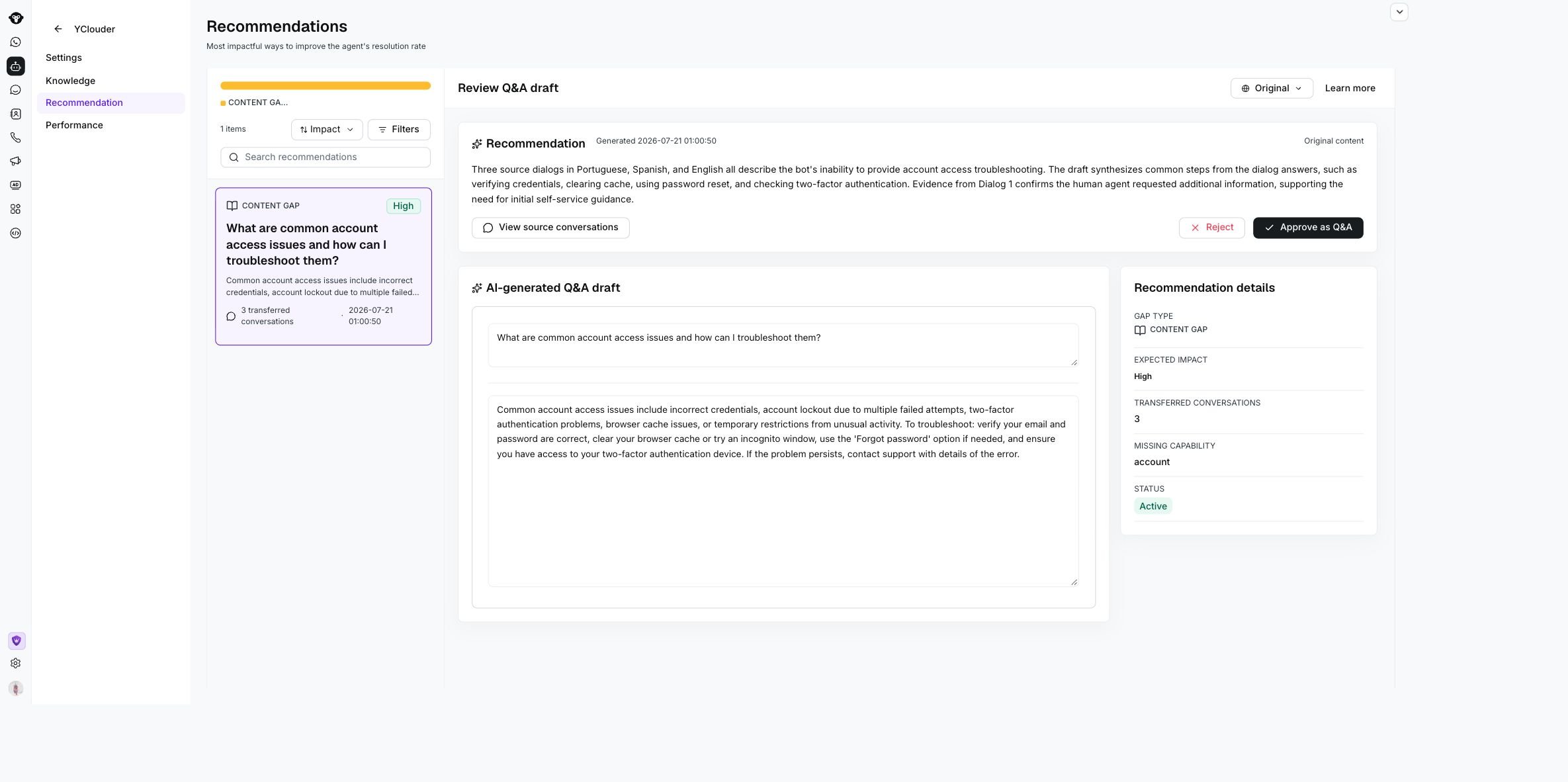
The YClouder Recommendations page shows the recommendation queue and the selected Q&A draft.
How to Read the Page
Find the Right Recommendations
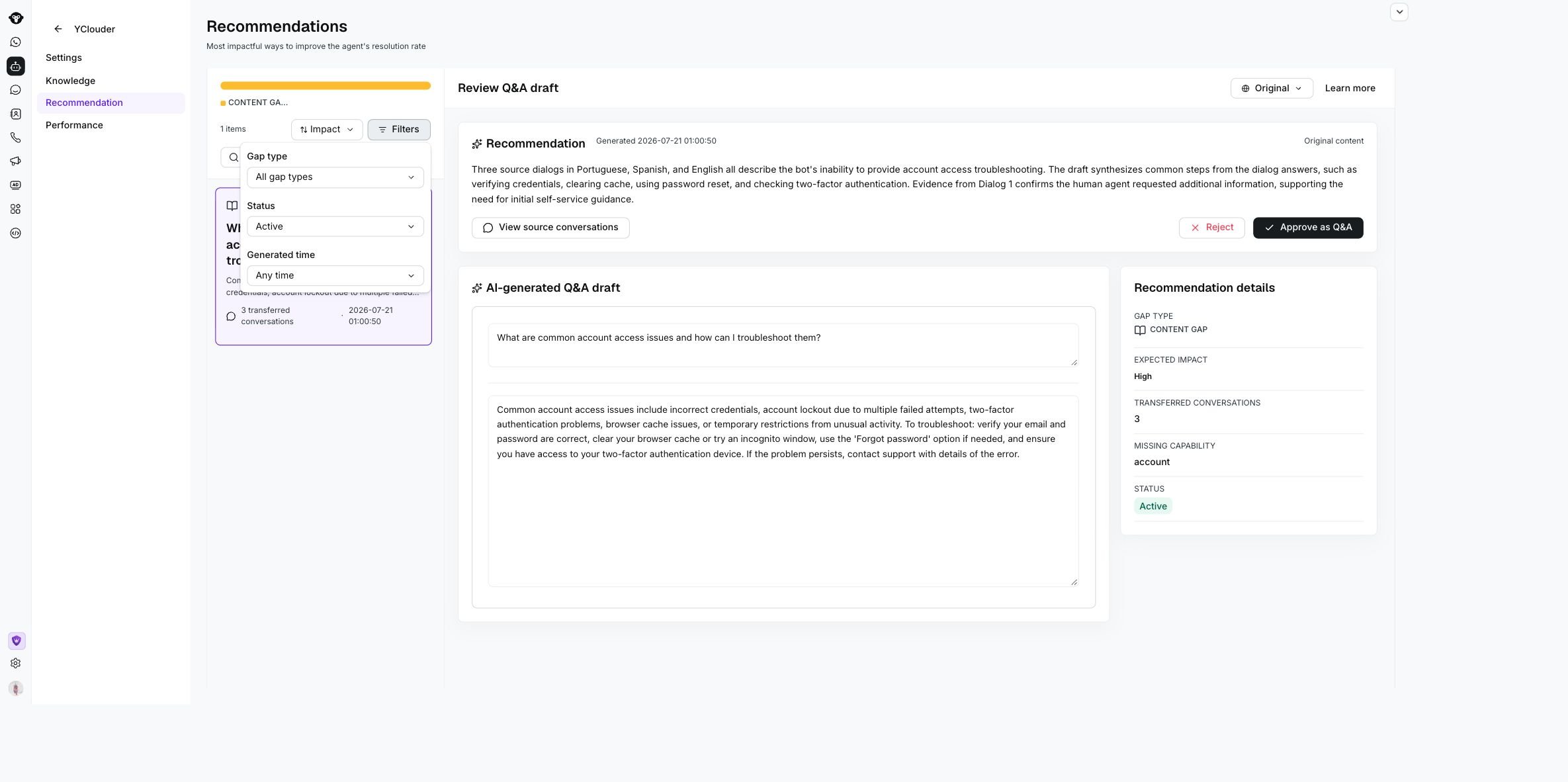
Filter recommendations by gap type, status, and generated time.
Review a Recommendation
- Choose a recommendation from the list. Start with high-impact items when you want to reduce repeated handoffs quickly.
- Check the gap type so you know whether the recommendation should become Knowledge content, a Data Connector, or an automation Skill.
- Read the summary, gap evidence, AI Agent failure reason, and missing capability. These fields explain what the AI Agent could not answer or do.
- Click View source conversations to inspect the transferred conversations selected by AI. These sources help you verify whether the recommendation is based on real customer needs and useful human replies.
- For a Content Gap, review the AI-generated Q&A draft. You can edit the title and answer before publishing.
- For a Data Gap or Action Gap, review the suggested Data Connector fields and Skill steps before creating the automation.
- If the recommendation is accurate, use the primary action for its type: Approve as Q&A for Content Gaps, or Create a data connector, Create a skill, and Mark as done for Data and Action Gaps.
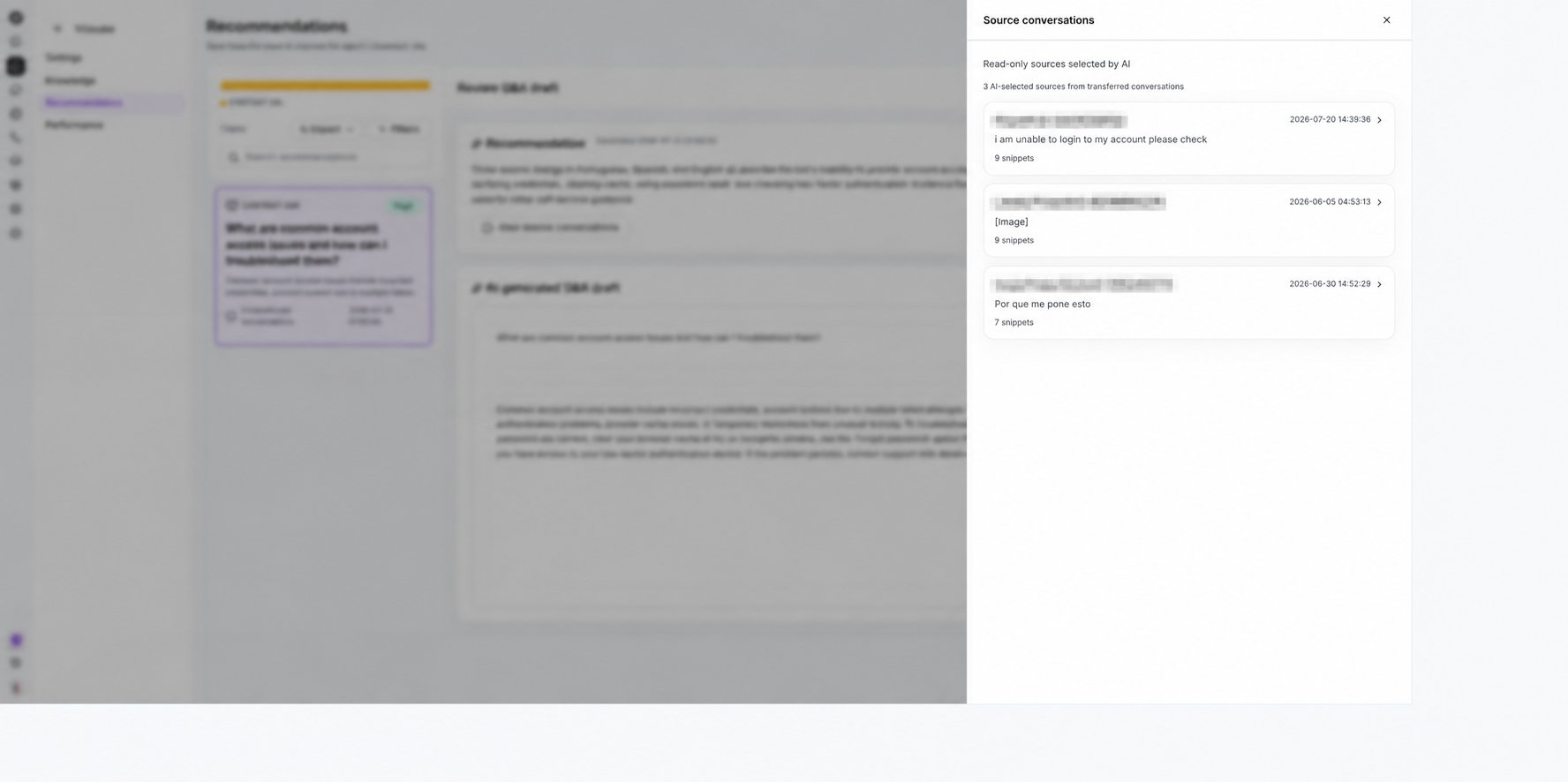
Source conversations are read-only and show the evidence selected by AI.
Resolve Data and Action Gaps
Data and Action Gap recommendations open the Connect data and create skill page instead of a Q&A draft. Use this page to review the evidence, understand what capability is missing, and create the automation the AI Agent needs.The Skill depends on the Data Connector. Configure and test the connector first, then select it in the skill builder.
Data and Action Gap recommendations do not publish a Q&A answer directly. They guide you through the missing automation setup so the AI Agent can retrieve the right data or complete a safe external action.
Build and test the Data Connector before finishing the Skill. The Skill depends on the connector response fields to look up data or complete the recommended action reliably.
Edit the Draft Before Approval
The generated Q&A draft appears for Content Gap recommendations. Before approving it, make sure the question sounds like something a customer would actually ask and the answer is clear enough for the AI Agent to reuse.Reject a Recommendation
If a recommendation is not useful, click Reject. You might reject a recommendation when the evidence does not support the suggestion, the missing capability is not worth automating, the source conversations are too customer-specific, or your team does not want the AI Agent to handle that topic. Rejected recommendations leave the active queue but can still be found with the status filter.
Use Reject to dismiss the recommendation or Approve as Q&A to publish the reviewed draft.