

Choose the message route
Check the service window at send time. A Flow does not bypass normal messaging eligibility.
Send through YCloud products
For a template-based send, follow Create a WhatsApp Flow template, then select the approved template in your supported sending workflow.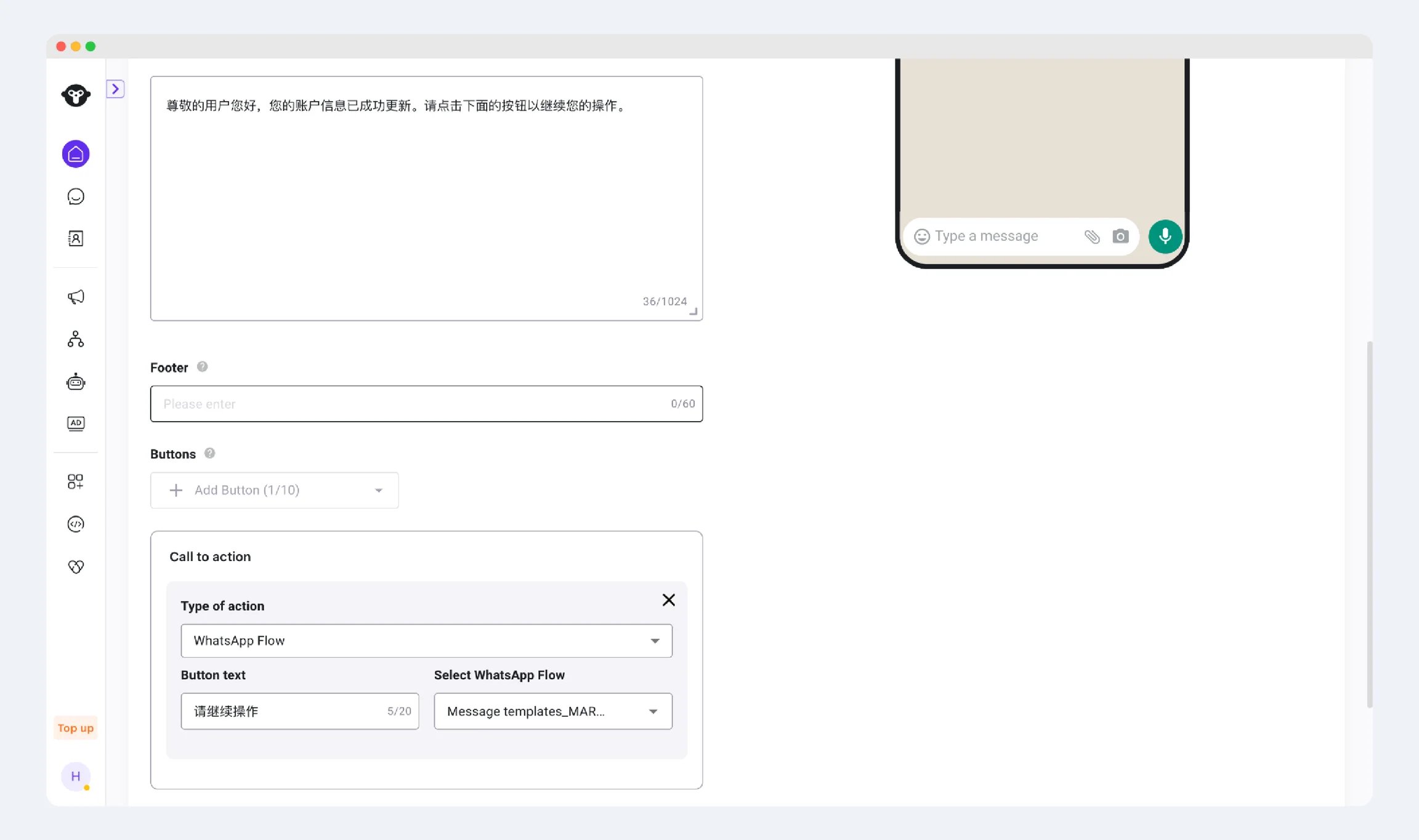
Prepare the invitation values
For a template invitation, verify the exact WABA, template name, language, and Flow button before sending. A Flow with the same display name in another WABA is not the same resource. For API sending, the Flow button’s action can include:
Do not place passwords or personal information in the token. YCloud documents a default token of
unused; if your workflow needs correlation, supply a meaningful opaque reference instead of relying on that default.
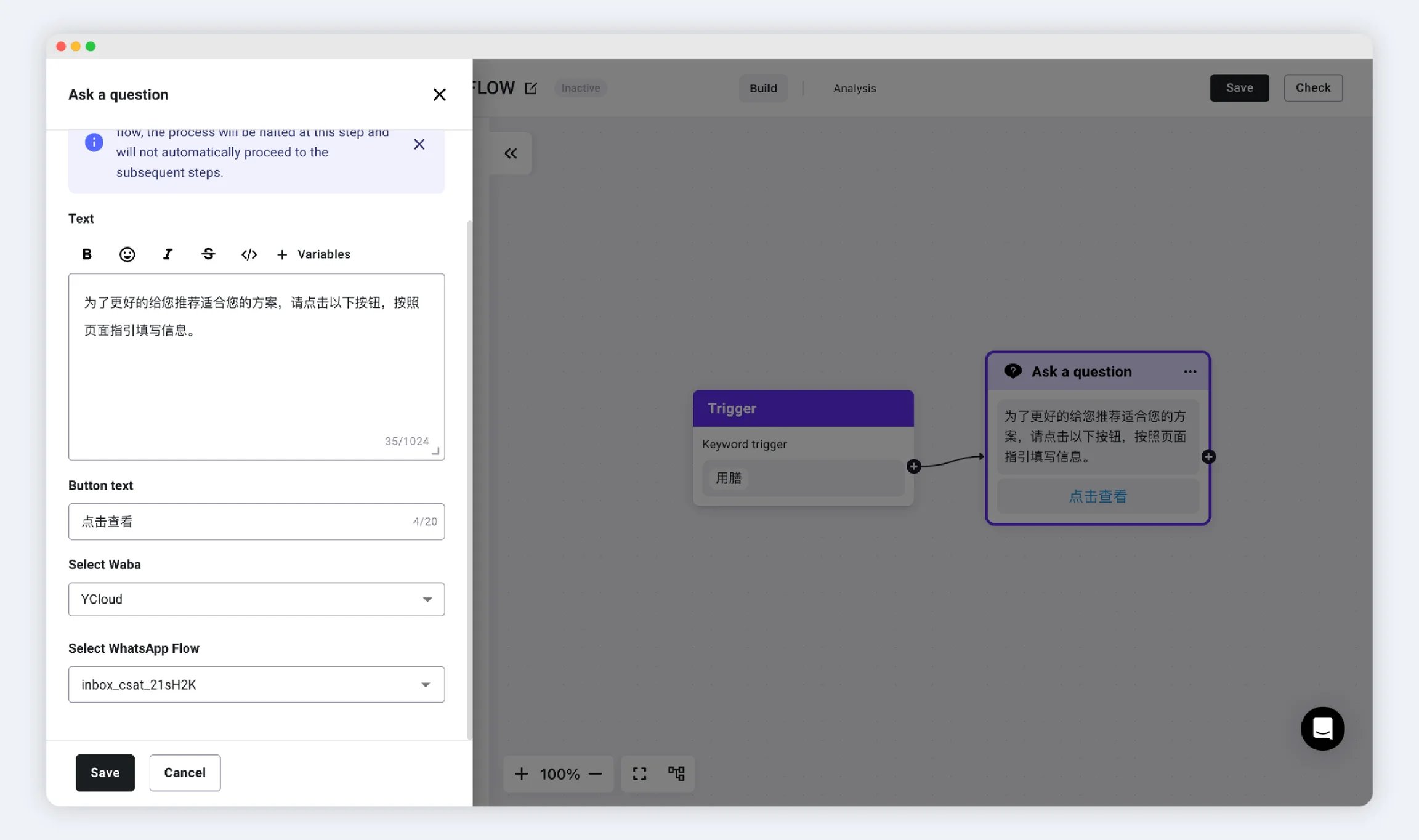
For an interactive Flow invitation, use the interactive-message structure—not the template button structure. Keep the Flow version and entry action consistent with the published definition.
Example: book a consultation
For a customer already discussing an appointment:- Confirm the service window is open.
- Send a supported Flow invitation with an explanation such as “Choose a preferred consultation time.”
- Associate it with the active request, not an unrelated previous booking.
- On submission, recheck availability and create the booking or request.
- Send an accurate result: either a confirmation or a notice that staff will follow up.