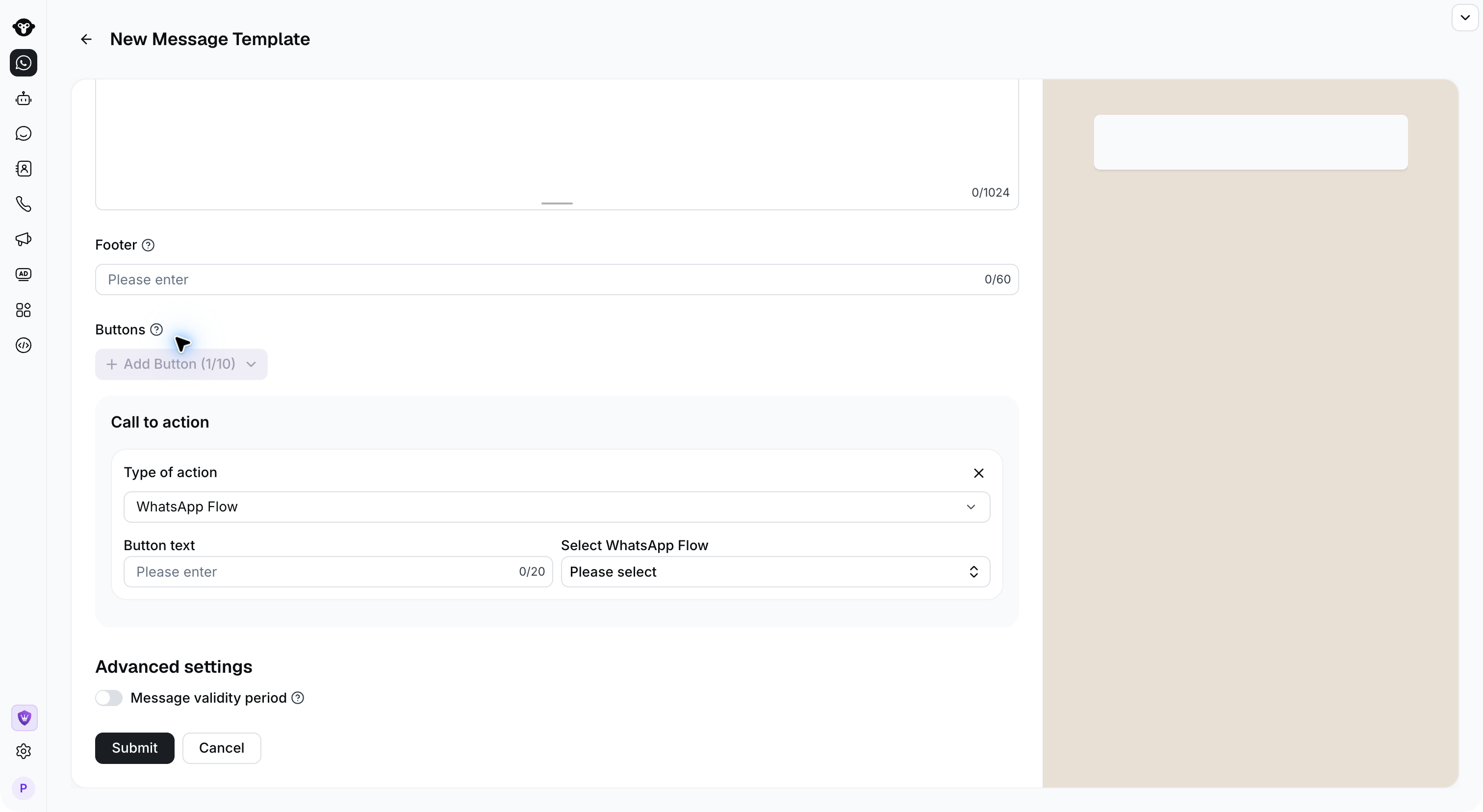
YCloud currently does not support creating WhatsApp Flows in the YCloud backend. You will need to create them in your own BM (Business Manager) backend. However, please note that only accounts with business verification can create Flows.
Step 1:
Log in to your BM account > Flows > Create flow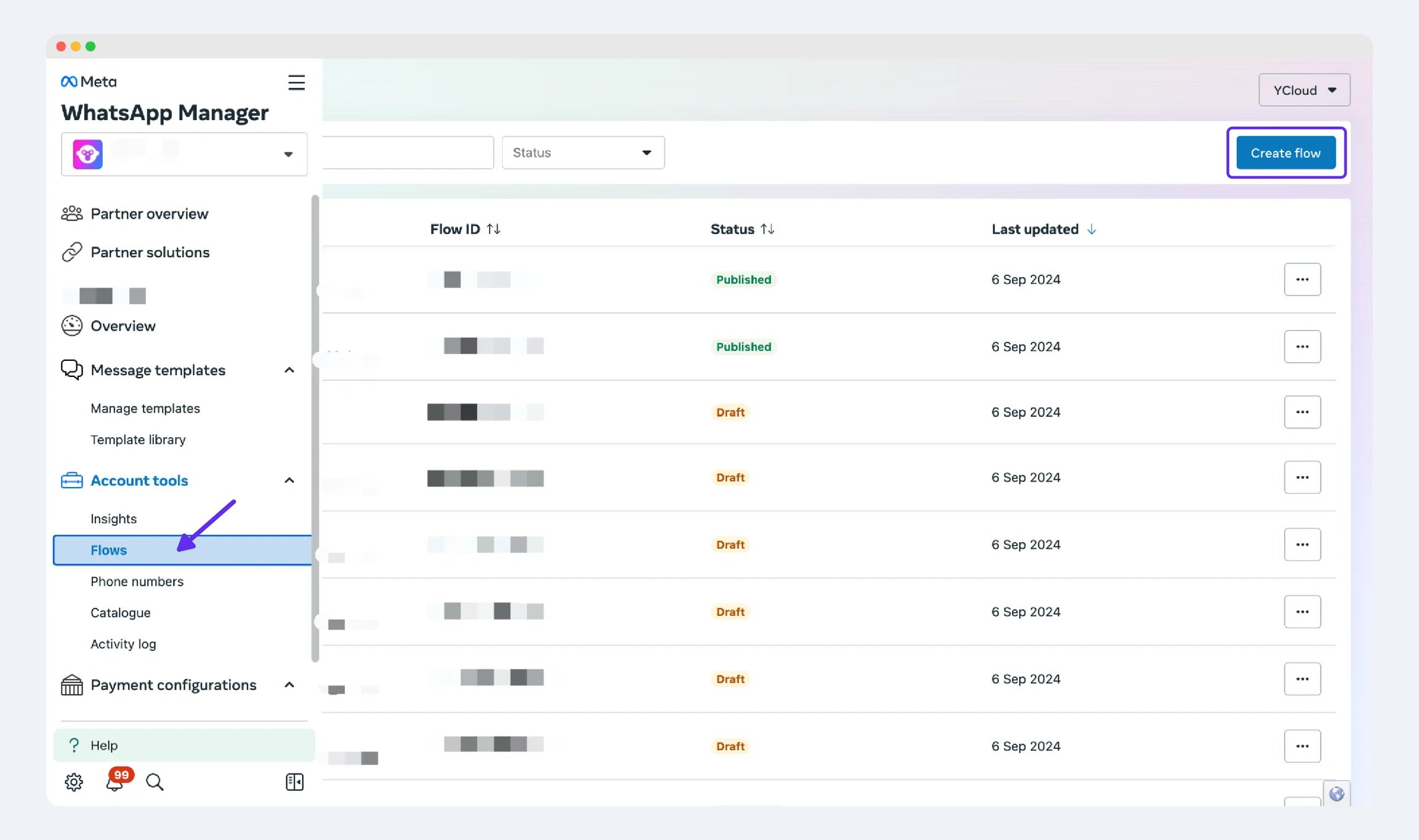
Step 2:
Enter the template name, select the template category, and choose the display format of the template. Note: In the bottom-right corner, you can select different template formats.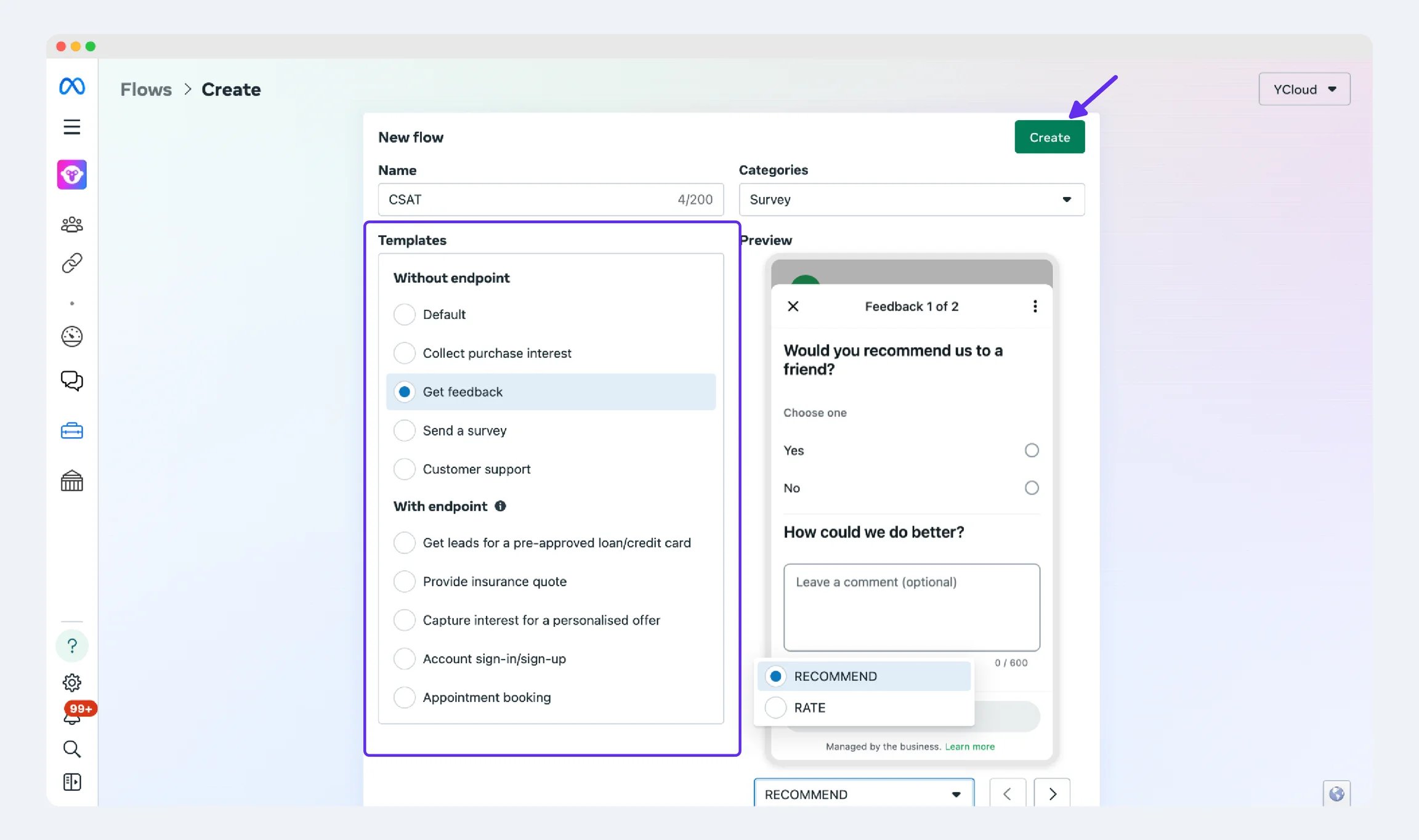
Step 3:
Click “Publish” to publish this template.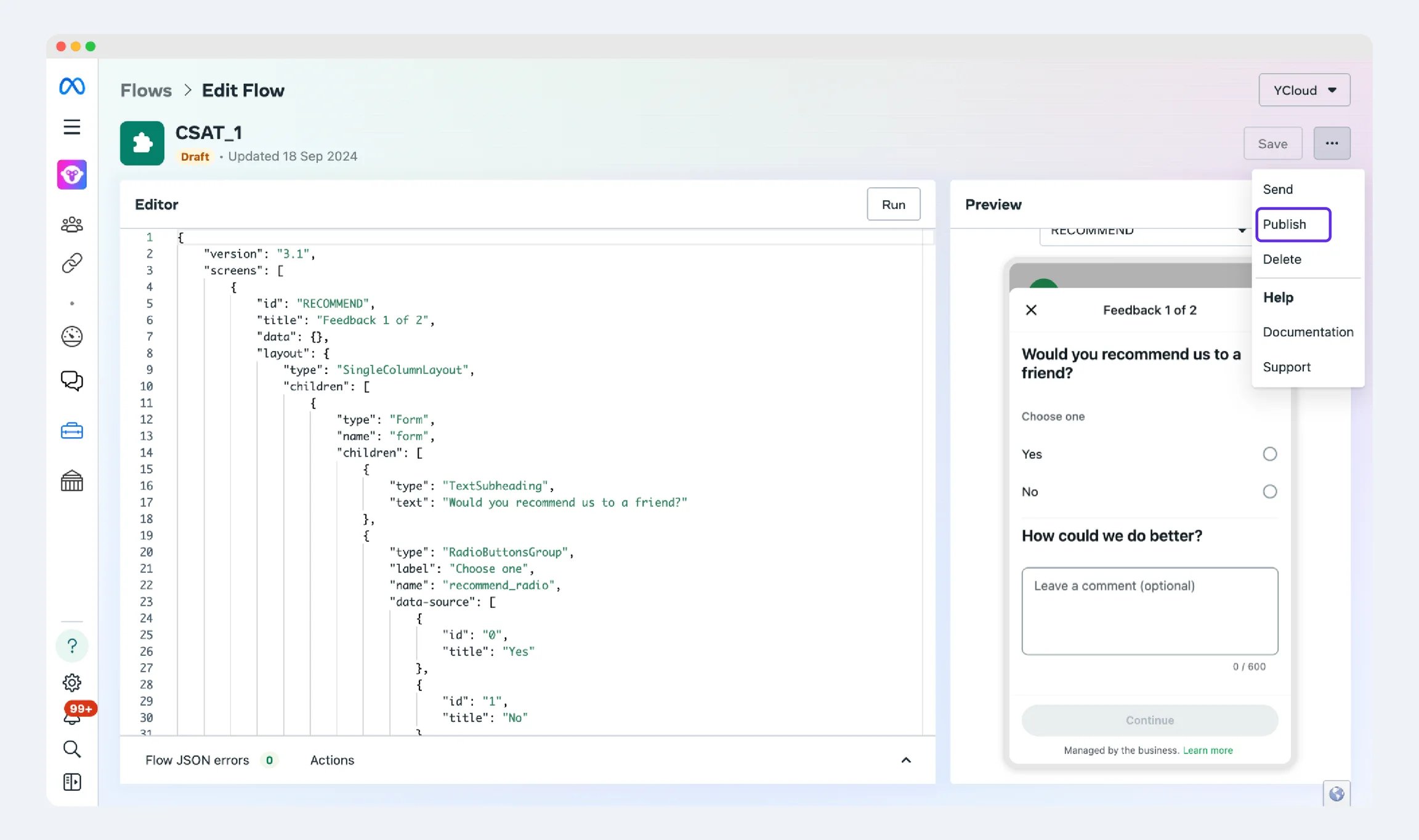
Step 4:
When the below page appears, it means the Flow has been successfully created!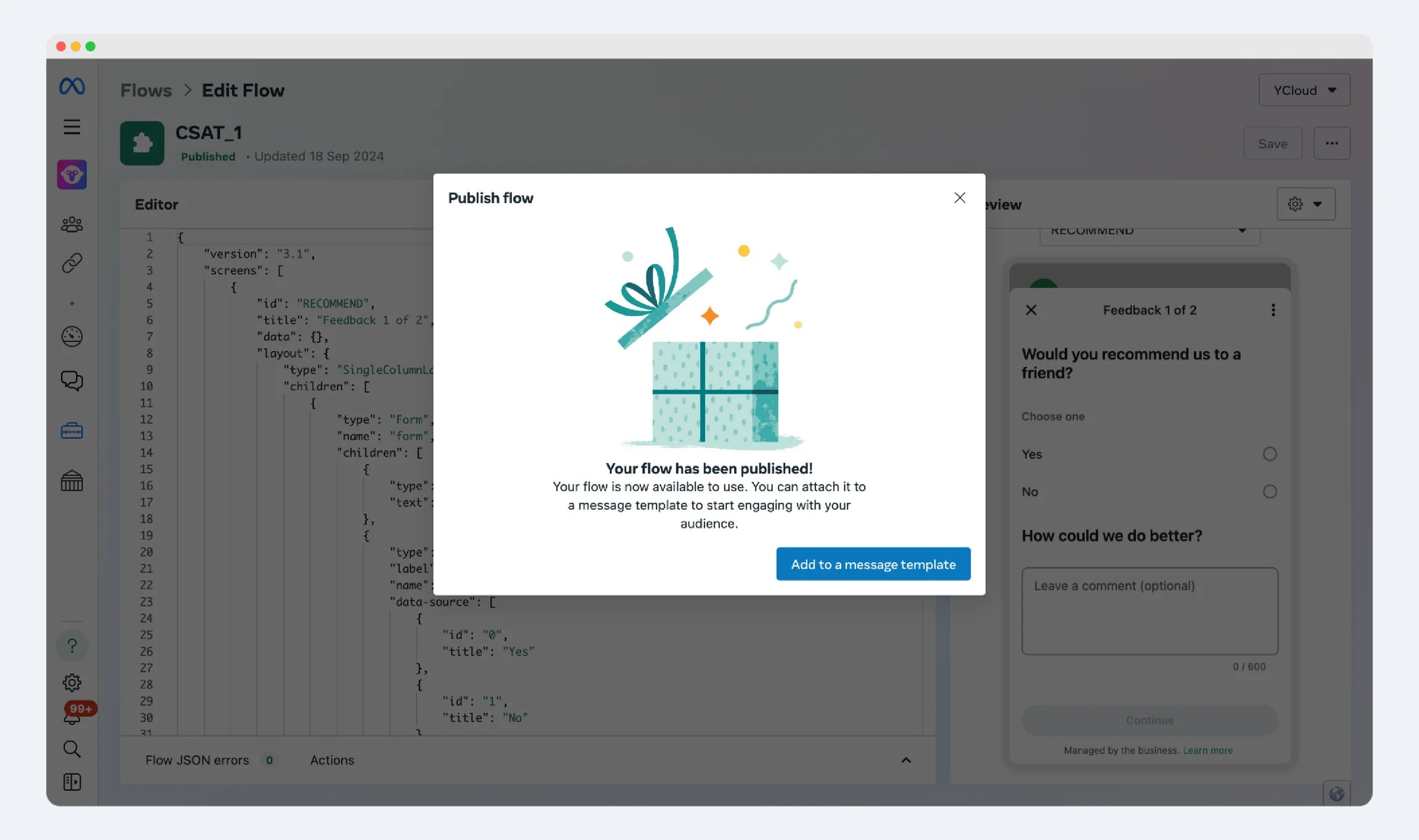
Step 5:
Only marketing/utility templates support the insertion of WhatsApp Flows.