

打开 AI 性能
- 打开要查看的 AI Agent。
- 在左侧边栏中选择 Performance 。
- 选择 Time range ,如果需要,还可以选择一个或多个 WhatsApp business numbers。
-- 表示对比数据不可用。
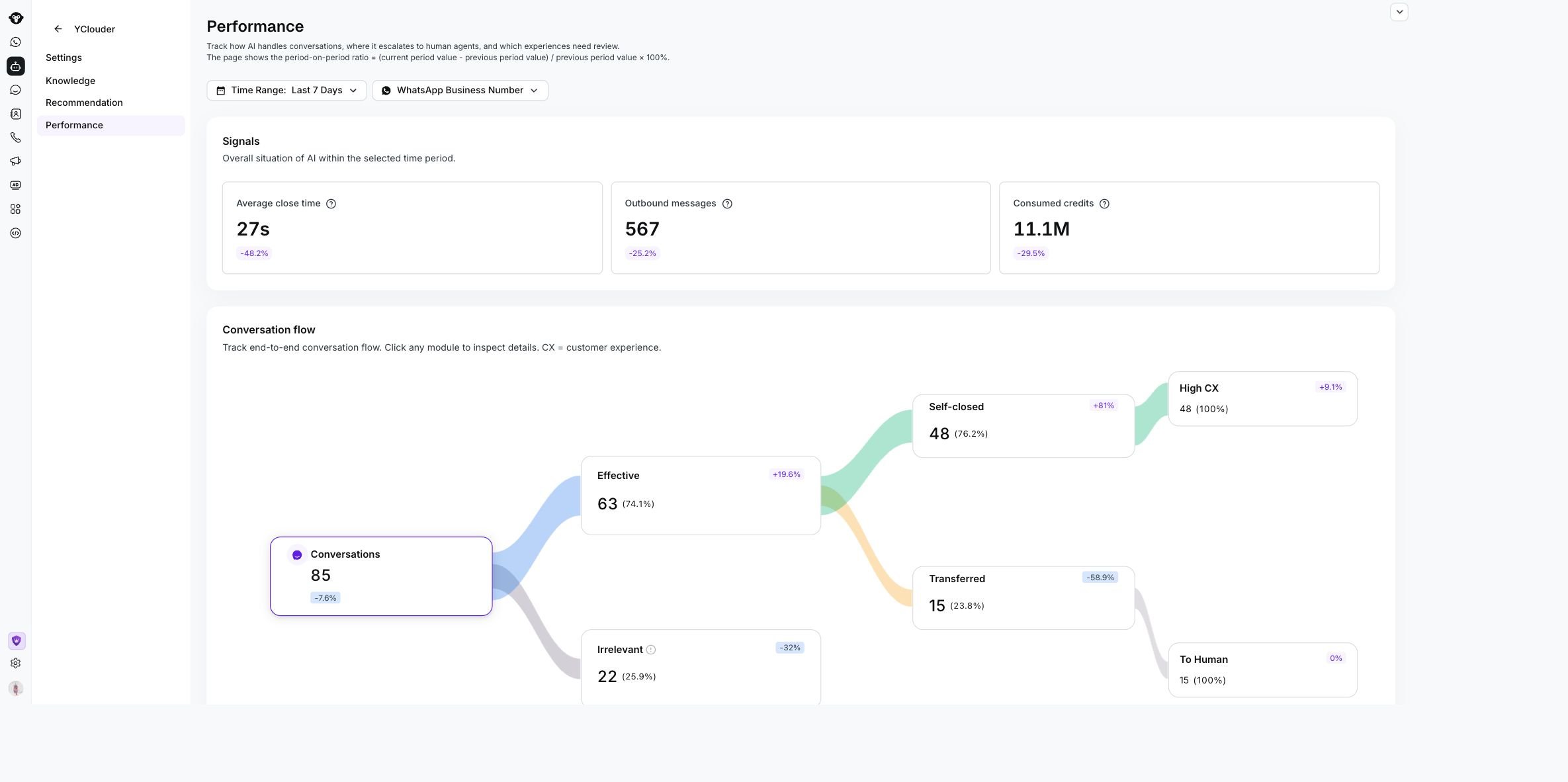
The Performance page shows selected filters, Signals, and the Conversation flow for the YClouder AI Agent.
查看信号指标
Signals 汇总了 AI Agent 的活动和资源使用情况。跟踪会话结果
Conversation flow 显示会话在 AI Agent 中的流转情况。它包括总会话数以及所选数据适用的结果,例如 Effective、 Irrelevant、 Self-closed、 Transferred、 High CX 和 To Human。 点击任意会话节点即可打开匹配的会话列表。使用该列表可查看联系人、会话摘要和日期,然后打开会话查看其完整历史记录。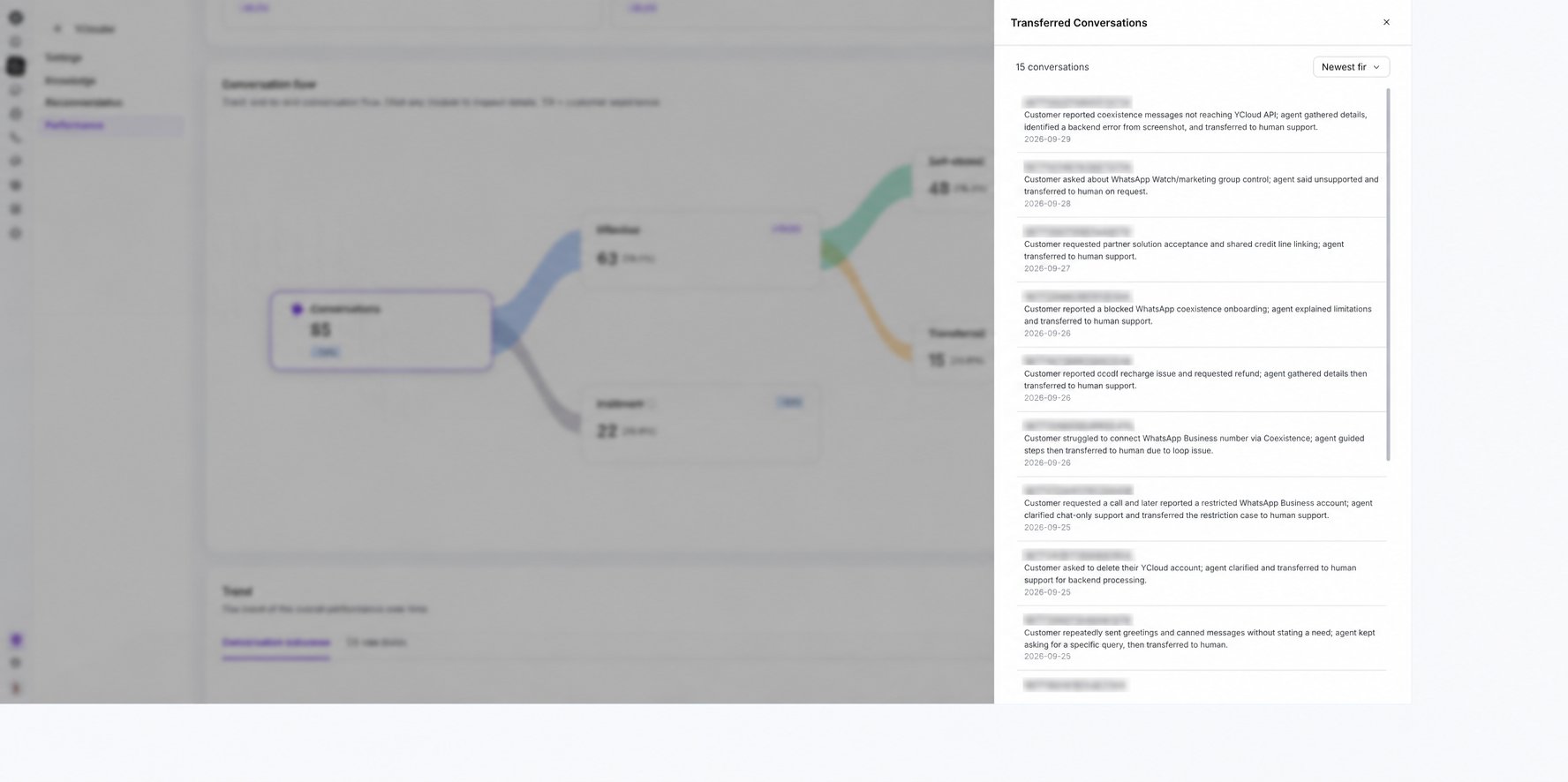
Select a Conversation flow node to review the matching conversations.
对比趋势
使用 Trend 查看指标随时间的变化情况。- 在 Rate 与 Volume 之间切换。
- 使用 Conversation outcomes 对比自主关闭率和转接率。
- 使用 CX rate levels 查看客户体验趋势。
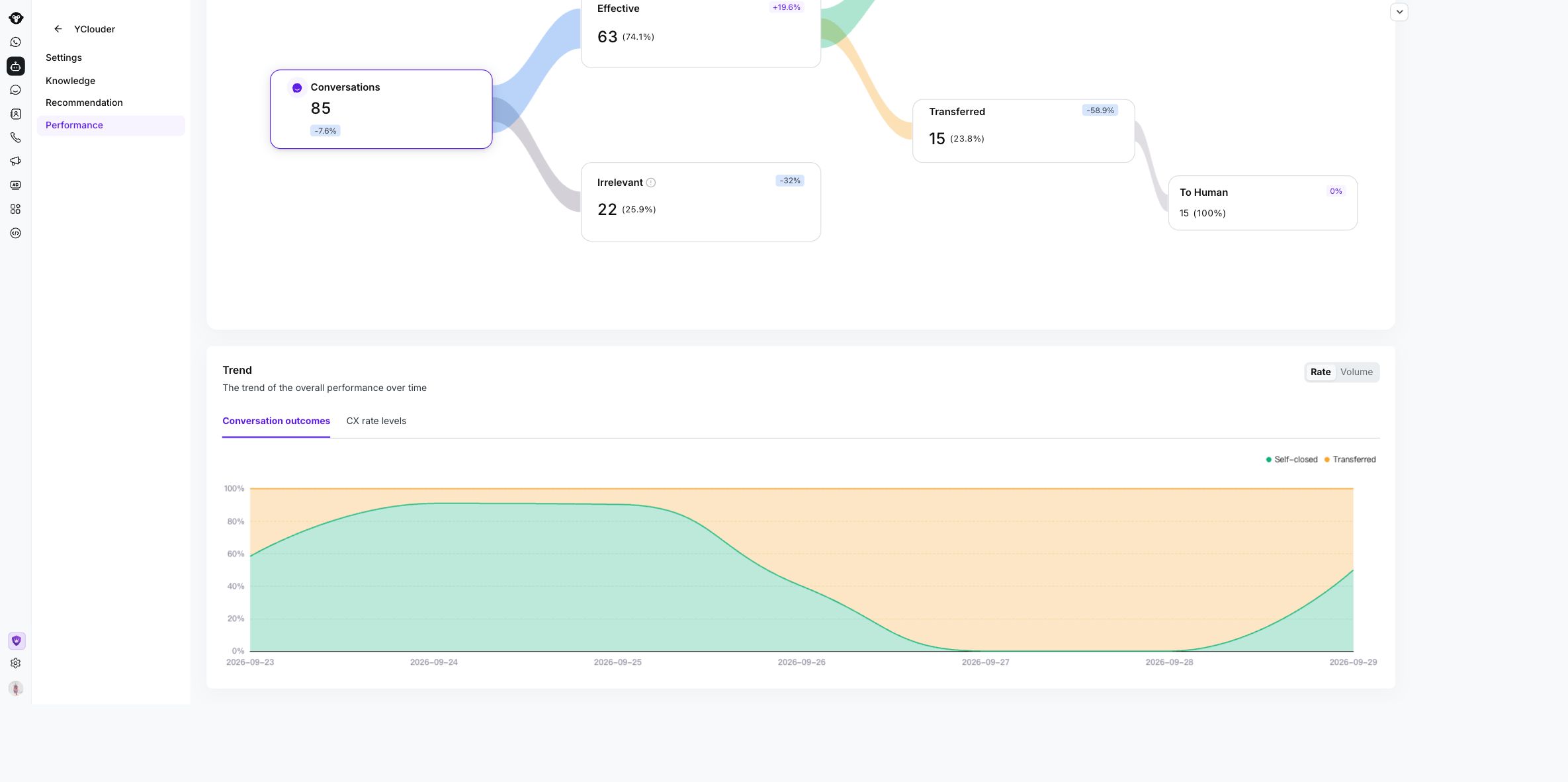
Use the Trend controls to compare conversation outcomes by rate or volume over time.