

- Inbound calls: customers call your business.
- Outbound calls: your business calls customers after receiving permission.
Billing
Inbound calls
Inbound calls are free, whether or not your business answers.Outbound calls
- Charges are based on the connected duration.
- One billing unit is 6 seconds. Any partial unit is rounded up.
- The rate depends on the country code of the customer’s phone number.
User-initiated calls (inbound)
Customers can start a call in three ways.1. Call button in WhatsApp
Enable the call icon for your business number so customers can call from the conversation or business profile.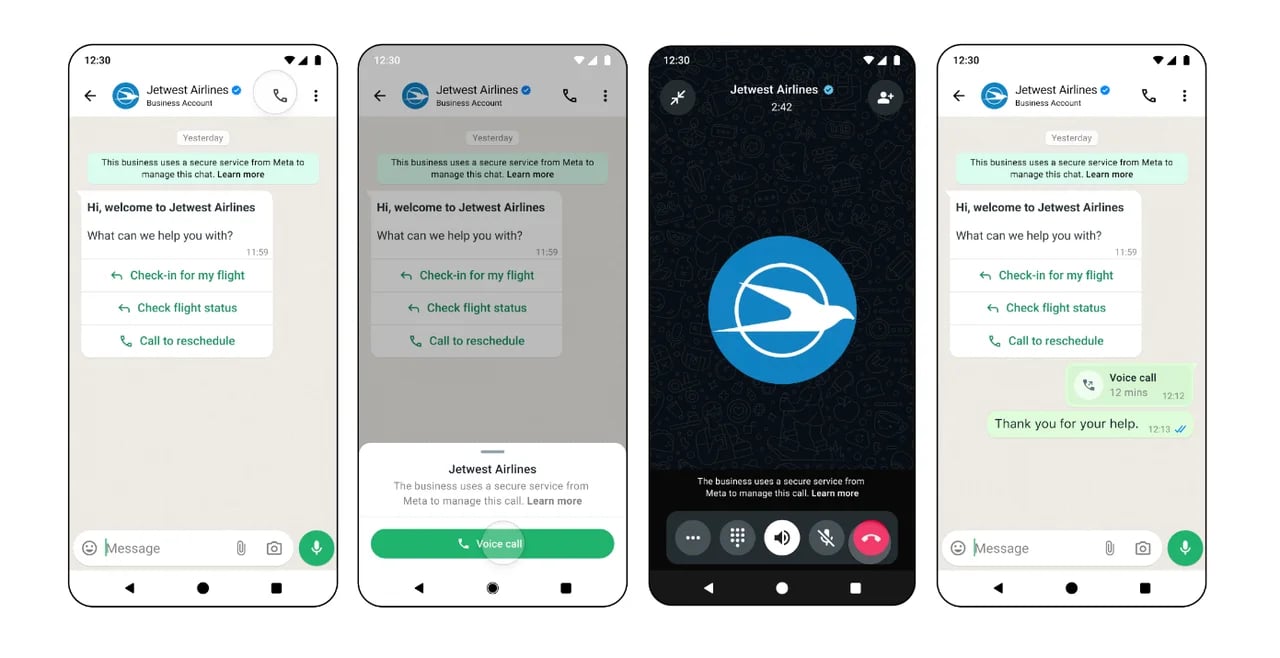
2. Call-in link
Generate a call-in link and place it on your website, in an email, or in a WhatsApp message.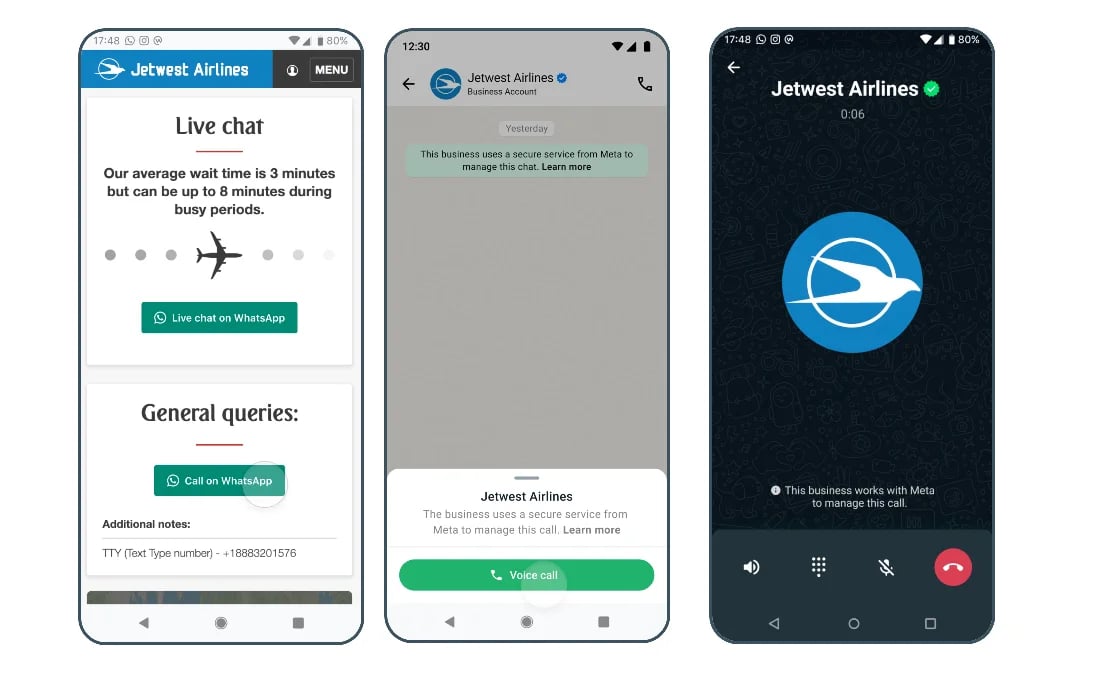
3. Call-in button in a message
Add a call-in button to a message template or interactive message.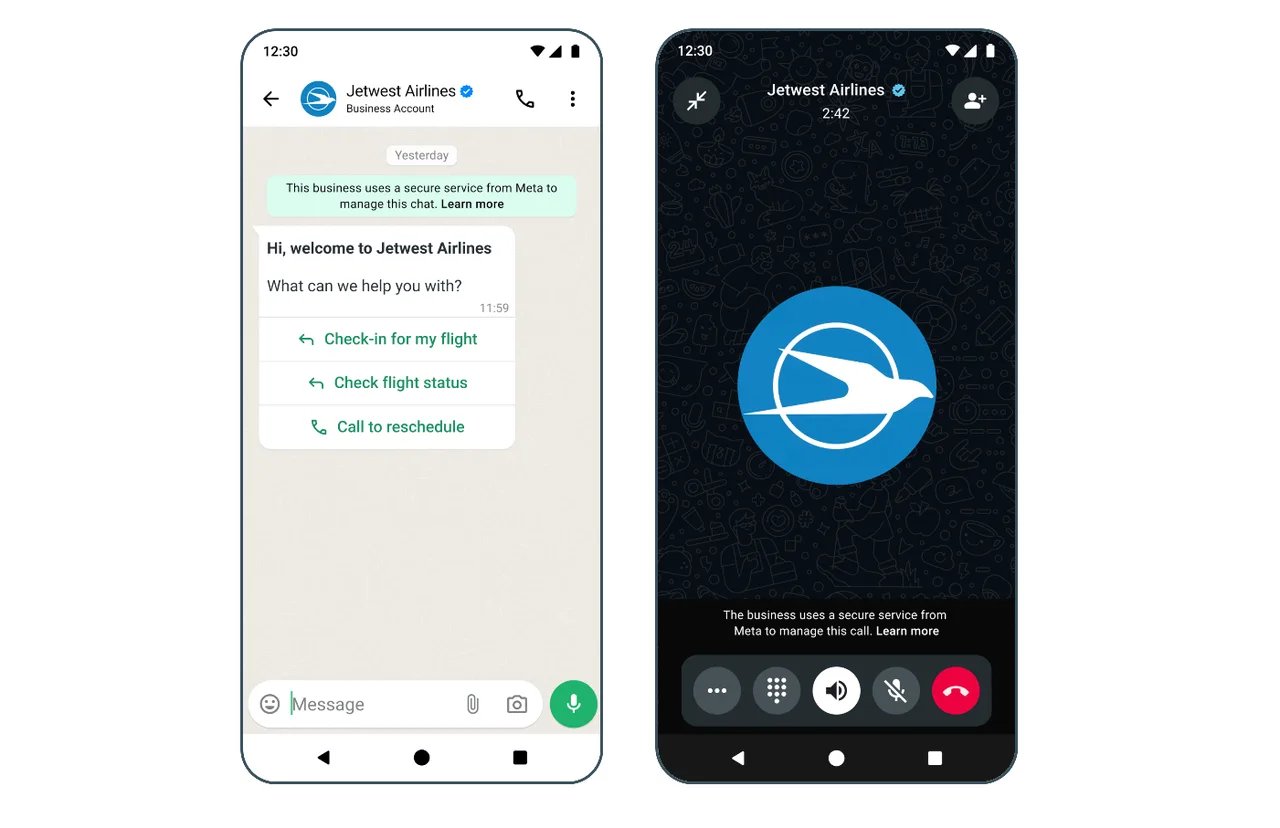
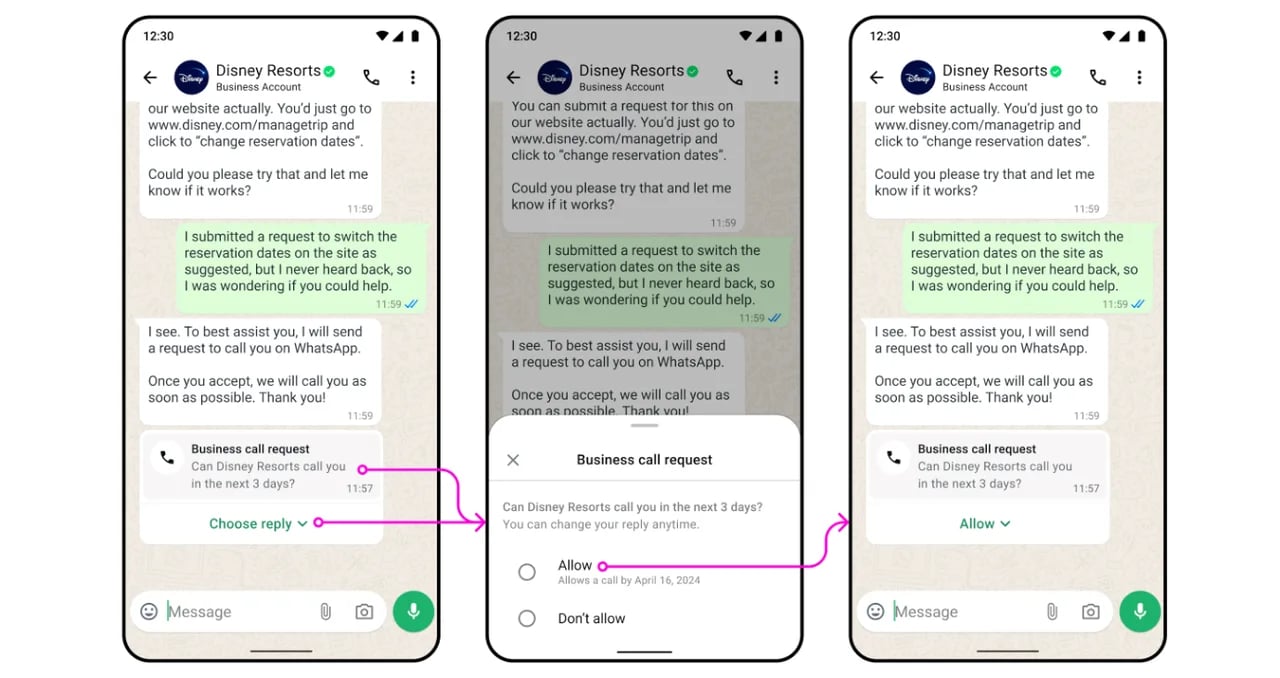
Business-initiated calls (outbound)
Before using outbound WhatsApp Calling, your business account must meet these requirements:- The Business Portfolio messaging limit has reached the 2,000-customer tier.
- The business number’s registered country or region is not:
- United States (+1)
- Canada (+1)
- Türkiye (+90)
- Egypt (+20)
- Vietnam (+84)
- Nigeria (+234)
Choose an integration method
YCloud supports two ways to use WhatsApp Calling. Choose the method that matches your implementation.HTTPS API integration
To build inbound or outbound calling with the API, contact your YCloud representative to enable Calling. See the WhatsApp Calling API example.YCloud platform (recommended)
Use the Calling workspace in the YCloud console for agent-based calling.Enable Calling for a business number
Each business number can enable or disable Calling independently. Go to WhatsApp accounts, open the settings for the business number, and select Calling > Authority. Turn on the Calling feature.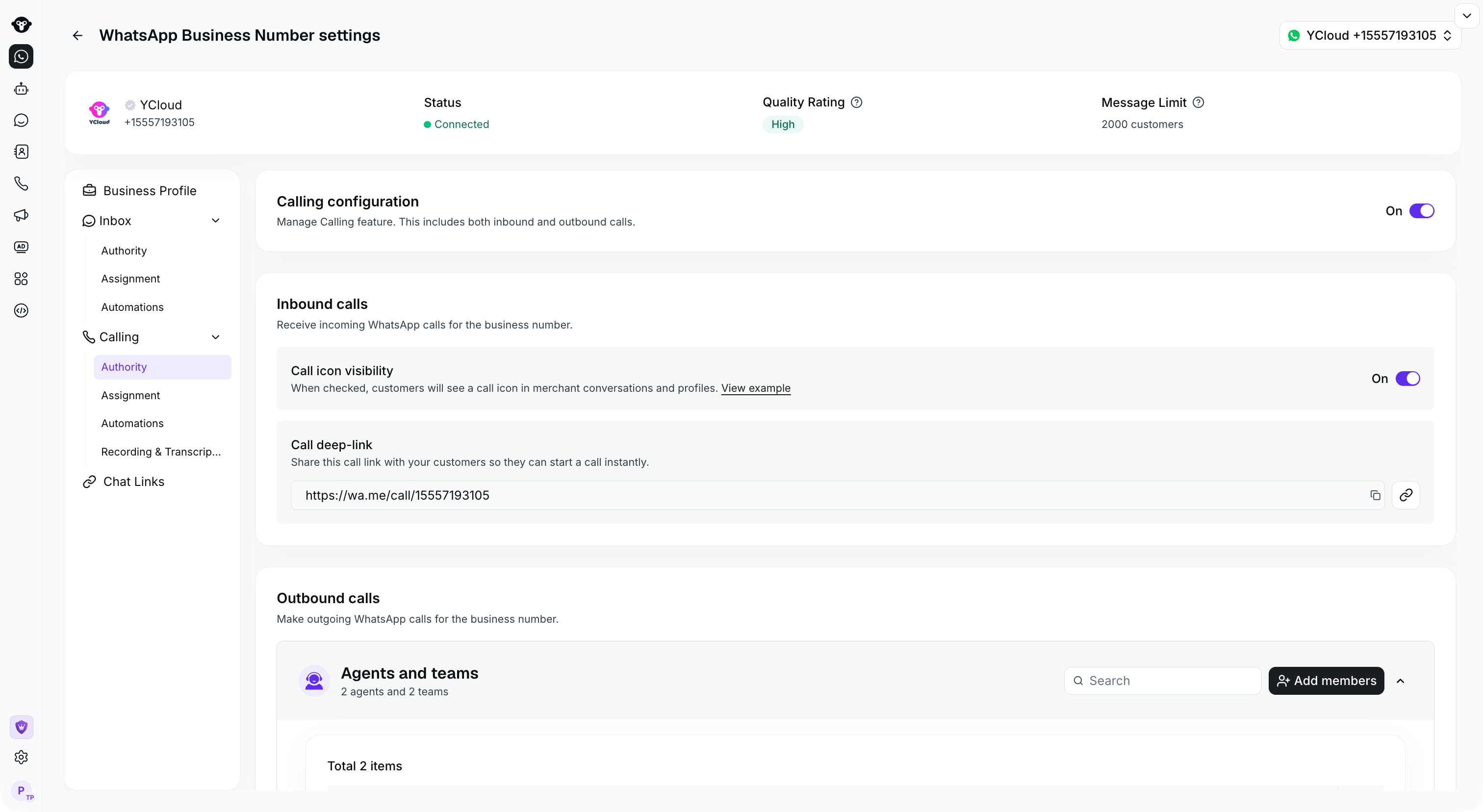
Open Calling > Authority to manage calling, icon visibility and outbound access.
Show the inbound call icon
In the Calling authority settings, enable the call icon so customers can call from their WhatsApp conversation or your business profile. Even when the icon is hidden, customers may still call through a message that contains a call button.
In Calling > Authority, control whether the WhatsApp call icon is visible to customers.
Configure outbound calling access
In the business number settings, use Calling > Authority to choose which agents can initiate outbound calls with that number.This restriction applies to outbound calls placed in the YCloud console. Calls initiated through the API are not restricted by this console setting.

Find Agents and teams under Outbound calls, then select Add members to manage console access.