

Template approval does not give you permission to contact a customer. Check customer consent and opt-out preferences before sending.
Choose a template category
Choose the category based on the message’s purpose, not the price you would prefer to pay.
A message that combines a transaction update with an offer is not purely utility. Meta treats mixed utility and promotional content as marketing.
For category criteria and examples, see Meta’s template categorization guidelines.
- Marketing
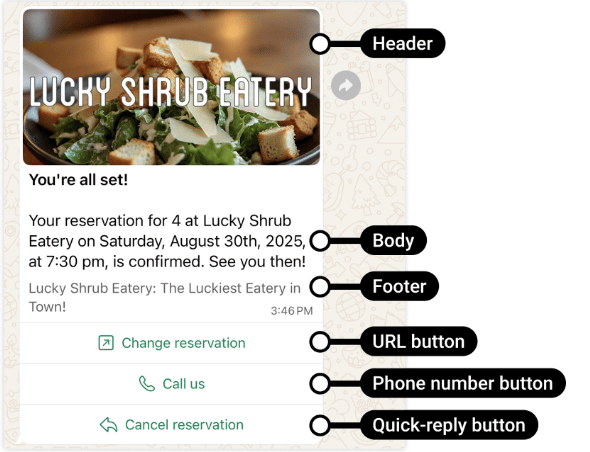
- Utility
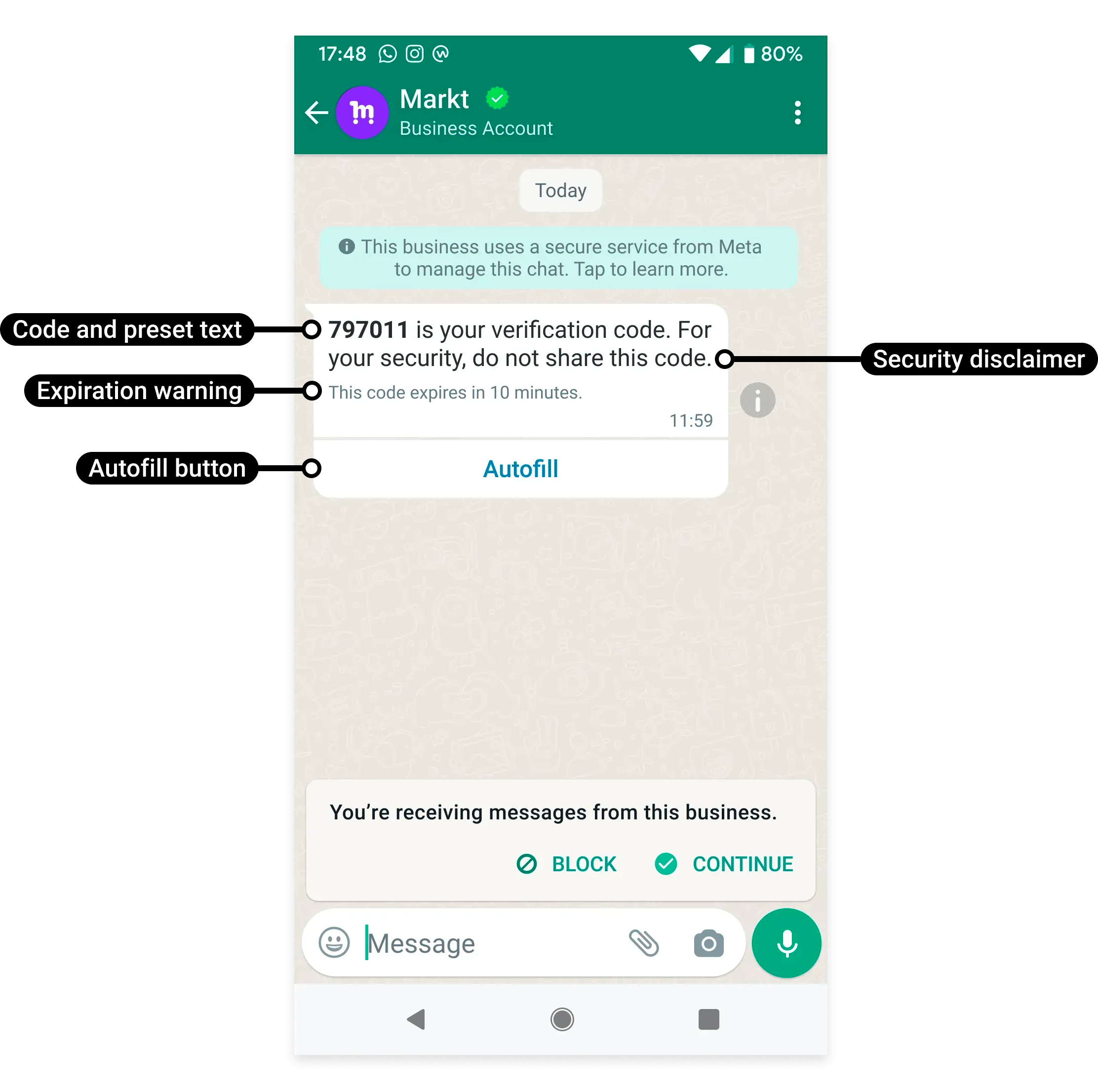
- Authentication
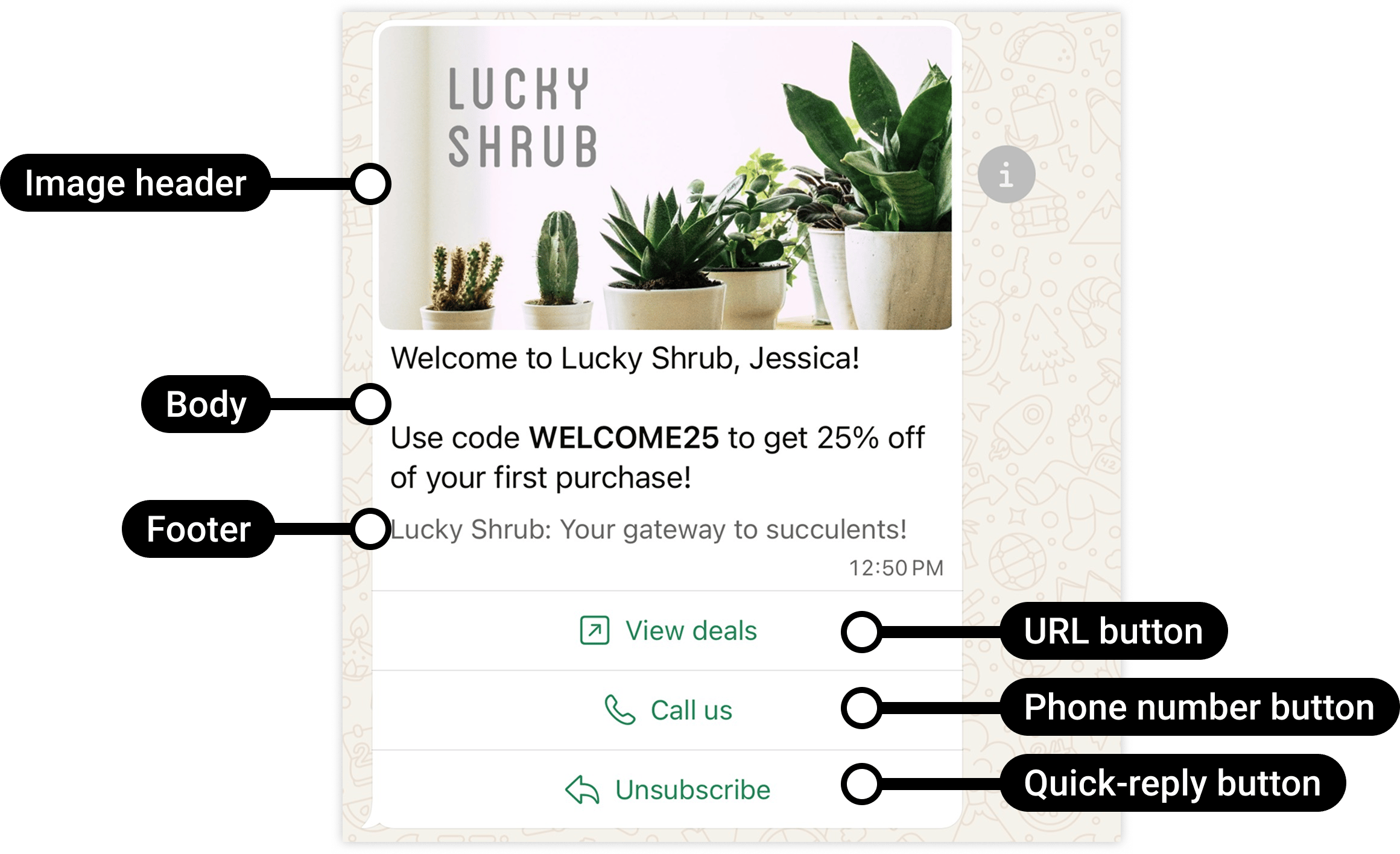
A promotional offer illustrates marketing content.
Understand the template and the message
The template defines the reviewed structure. The message you send fills in the required values for one recipient. For example, a fictional order-update template might contain:Components and formats
Depending on the selected category and format, a template can include:- A header.
- A body.
- A footer.
- Buttons.
- Variables and example values.
Create a usable first template in YCloud
- Open Templates. If you manage multiple WABAs, switch to the intended WABA first; an approved template in another WABA is not automatically available to this sender.
- Enter a stable name using the editor’s supported lowercase letters, numbers, and underscores. Choose a name that describes the event, such as
booking_confirmation. - Choose Marketing, Utility, or Authentication from the actual use case.
- Select the exact language variant. A template can have multiple language versions, but each version needs the correct content and review result.
- Configure the supported header, body, footer, and buttons. Provide sample values for variables and sample media where requested.
- Check the customer preview, submit, and confirm. Wait for the review result before connecting the template to a production send.
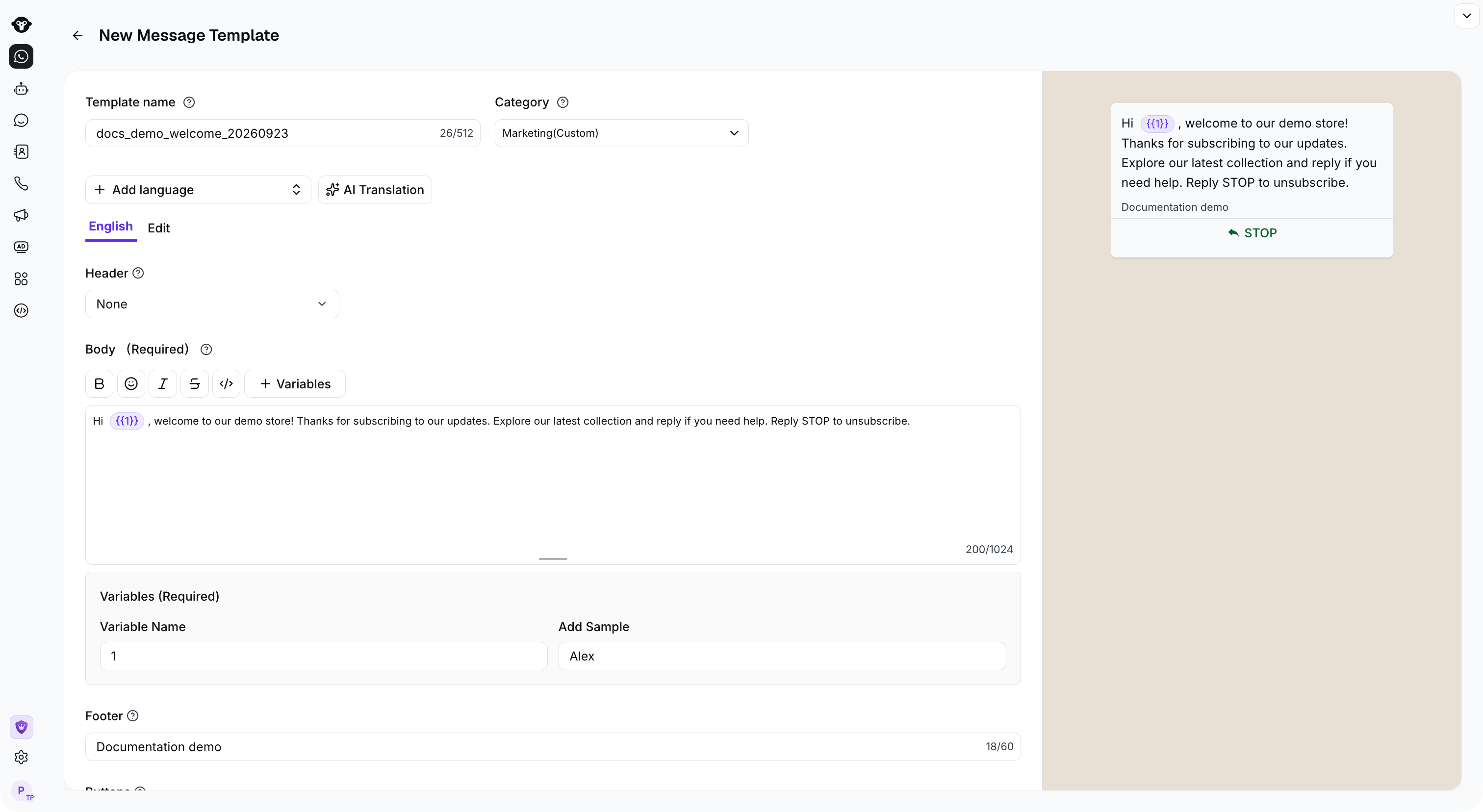
Provide sample values for variables and check the customer preview before submitting.
Language and reuse: common misunderstandings
- One approved language is not all languages. Sending
en_USis not equivalent to sendingen. Choose the exact approved variant. - Template language does not translate variable values. Your system must provide the correct customer-facing dates, labels, and values.
- Approval belongs to the template resource in its WABA. A similarly named template in another WABA is a different resource.
- A template is not a recipient list. Creating it does not send it or subscribe anyone.
- An approved body is not the completed message. Missing variables, incorrect media, or a wrong button parameter can still make a send fail.
From draft to delivery
- Define the purpose. Identify the customer action or business event that should trigger the message.
- Choose the category and content. Keep the message clear and supply representative examples for variables.
- Create and submit the template. Use YCloud’s template management workflow or API.
- Check the review result. Do not send a template that is still awaiting approval or is unavailable.
- Send and monitor. Supply the required values and track message delivery and customer feedback.
Before you send
- Confirm that the customer expects the communication.
- Check that the selected template belongs to the intended WABA.
- Use the correct approved language version.
- Supply all required values and media.
- Check the template’s current status.
- Confirm current pricing and any sending restrictions.
- Handle delivery failures and opt-outs.
Start using templates
Create a template in YCloud
Create and submit your template through the console.
Manage templates with the API
Work with template resources in your integration.
Send a WhatsApp message
Supply the template and recipient-specific values.
Understand service messages
Learn when you can use free-form replies instead.
Frequently asked questions
I changed the sample value during review. Will customers receive that value?
I changed the sample value during review. Will customers receive that value?
Review examples help Meta understand the placeholders. They are not your customer-specific send values. At dispatch, provide every required parameter in the approved structure and language. Test with synthetic values so a review sample is not accidentally reused as an order number, name, or verification code.
Can I use one approved English template for customers in any language?
Can I use one approved English template for customers in any language?
You must send an approved language version that exists under the intended WABA and template name. Selecting another language code does not translate the content or approve a new version. Route recipients to a matching approved version, or use an appropriate fallback that exists.
Why does the same template name work from one number but fail from another?
Why does the same template name work from one number but fail from another?
Check both numbers’ WABAs. A template is a WABA asset, not a globally available name in your YCloud account. Compare the WABA, name, language, status, and supplied components for the failing send. If a migration or replacement changed assets, update the caller’s references rather than repeatedly retrying the old combination.