

Standard template anatomy
These limits are not a promise that every specialized template accepts every combination. Authentication uses preset text; carousel cards, limited-time offers, commerce templates, and calling components have their own structures.
A useful standard layout is:
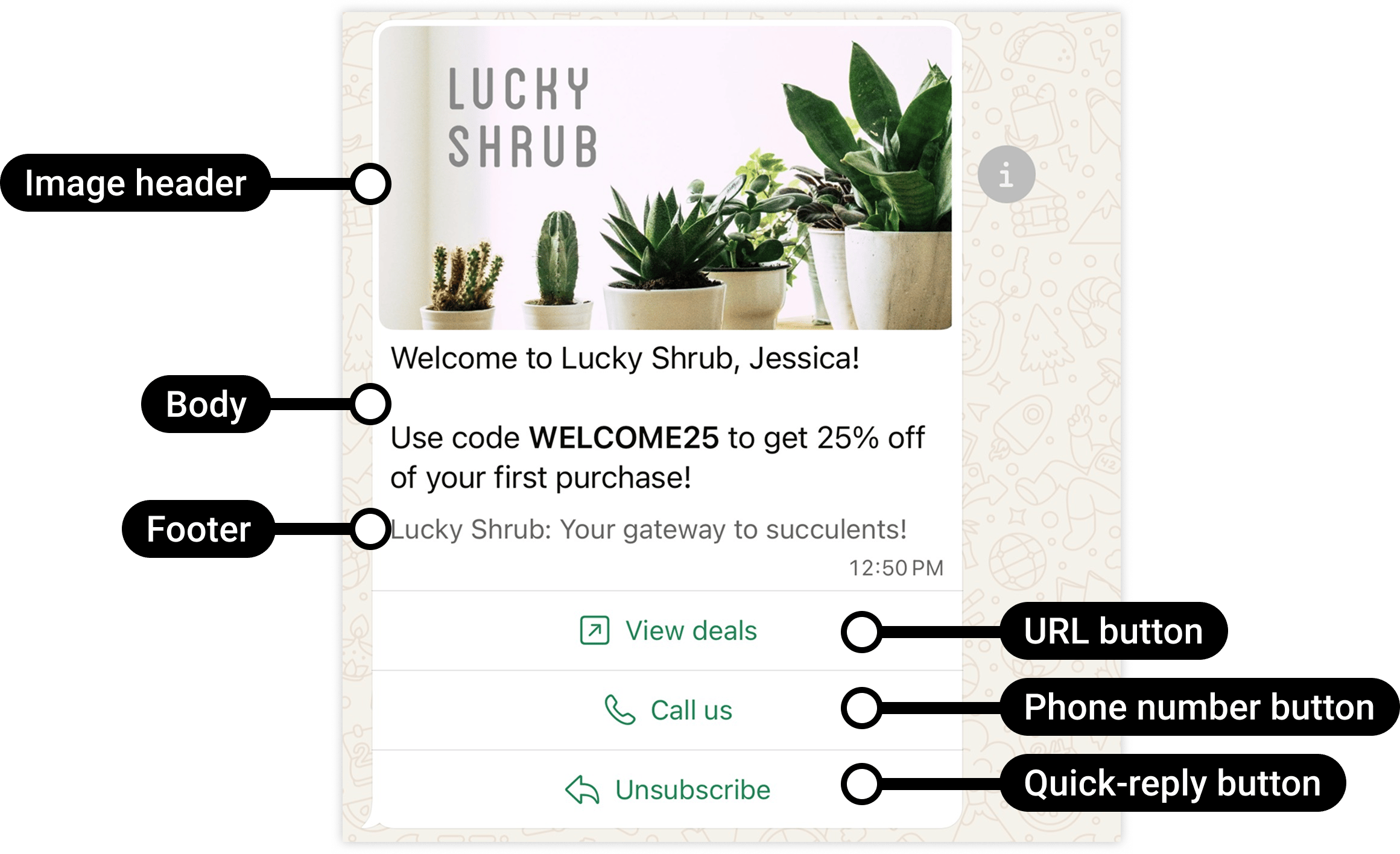
Meta labels the standard components. This promotional example illustrates structure, not a utility-category decision.
Choose the right button action
A quick-reply button labeled Stop promotions is not an automatic unsubscribe implementation. Your workflow must recognize the reply and update the customer’s preferences. See Customer opt-out.
Button order affects usability and compatibility
Put the most important actions first. With more than three buttons, WhatsApp shows the first two and a See all options control for the rest.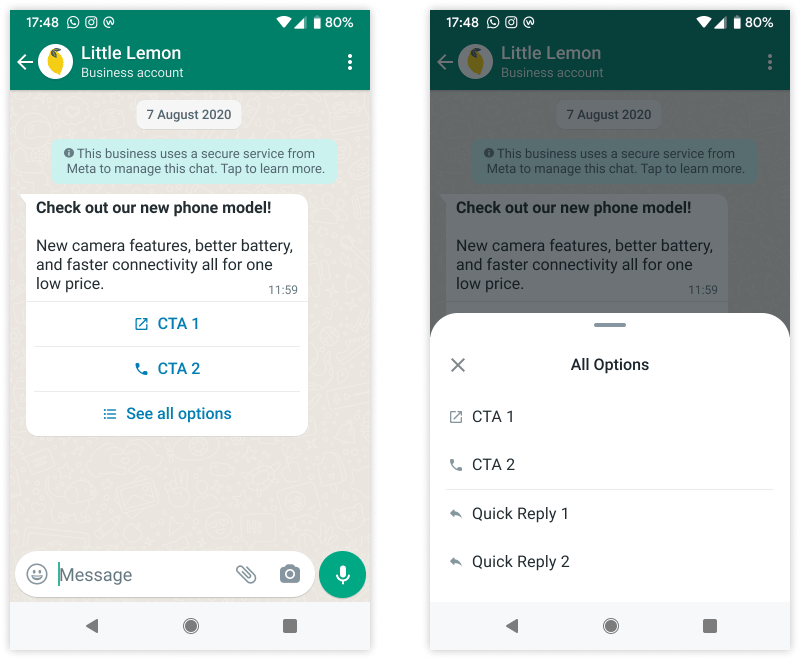
Meta's example of a template with additional actions behind See all options. Client appearance may vary.
- Valid grouping: URL → Phone → Quick reply → Quick reply.
- Invalid grouping: Quick reply → URL → Quick reply.
Variables: design, review, and send are separate stages
For this body:
Review examples demonstrate what a variable means. They do not configure a data source or automatically populate future messages.
The header, body, and each dynamic button have separate parameter positions. Body
{{1}} and URL-button {{1}} do not have to contain the same value. Button index identifies the button’s position in the template, starting at 0; it is not a body-variable number.
Example: body values and a dynamic URL
Suppose the reviewed template has:- Body:
Your booking {{1}} is confirmed for {{2}}. - Button at index
0:https://example.com/bookings/{{1}}
Media headers: sample assets are not live attachments
For an image, video, or document header:- Select the intended header format when creating the template.
- Provide a representative sample for review.
- At send time, supply the actual media using the supported YCloud media ID or link field.
- Confirm that the file is retrievable, its format matches the template, and it meets the media limits.
- Test the delivered message, including the file’s readability on a phone.
Select a specialized format
Diagnose a component error
The YCloud template API guide and OpenAPI contract define the YCloud fields. Meta’s component support does not prove that every YCloud editor, Inbox, Campaign, or API route exposes the same feature.
Continue with Create a template and Template review and lifecycle.