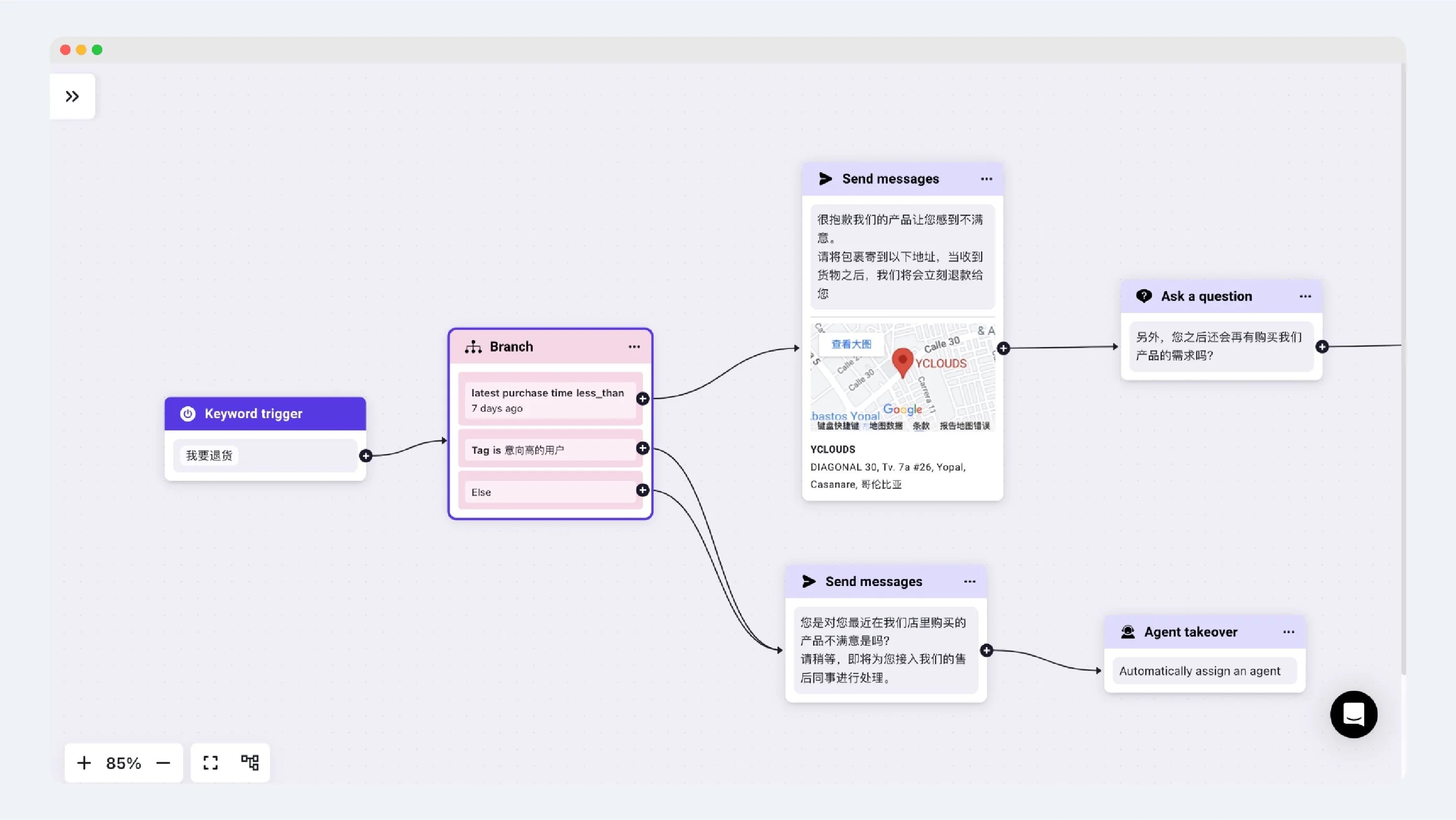
What is a Branch?
A Branch is used for customer attribute condition judgment and is not displayed to the customer. Enterprises can add judgment components to provide diverse responses for different attributes of customers and situations. Within a Branch, multiple “filters” can be set to divert and respond to customers who meet different conditions.
Add a filter, select country, then choose the matching condition and country or region.
Applicable Scenarios
User Attribute Judgment
Take the following Rule-based Agent as an example, which is a return scenario for an e-commerce customer. The image below sets up three Branches:- The most recent purchase record is less than seven days old.
- The customer has a high intent TAG.
- Other conditions.
Please note: When a user meets multiple conditions, the conversation will continue with the flow connected to the first condition based on the order of the Branches.