

AI Summary
There are frequent conversation handovers between human agents or from an AI Agent to a human agent. The receiving agent needs enough context to continue helping the customer. AI Summary extracts a structured summary from the conversation so the agent can review it quickly.Summary during conversation handover
Use summaries for human-to-human and AI-to-human handovers.Manual summary
When a conversation is handed over, the receiving agent will see the [AI Summary] button next to the system handover log. If you need AI to summarize the current conversation content, you can manually click this button to trigger AI Summary.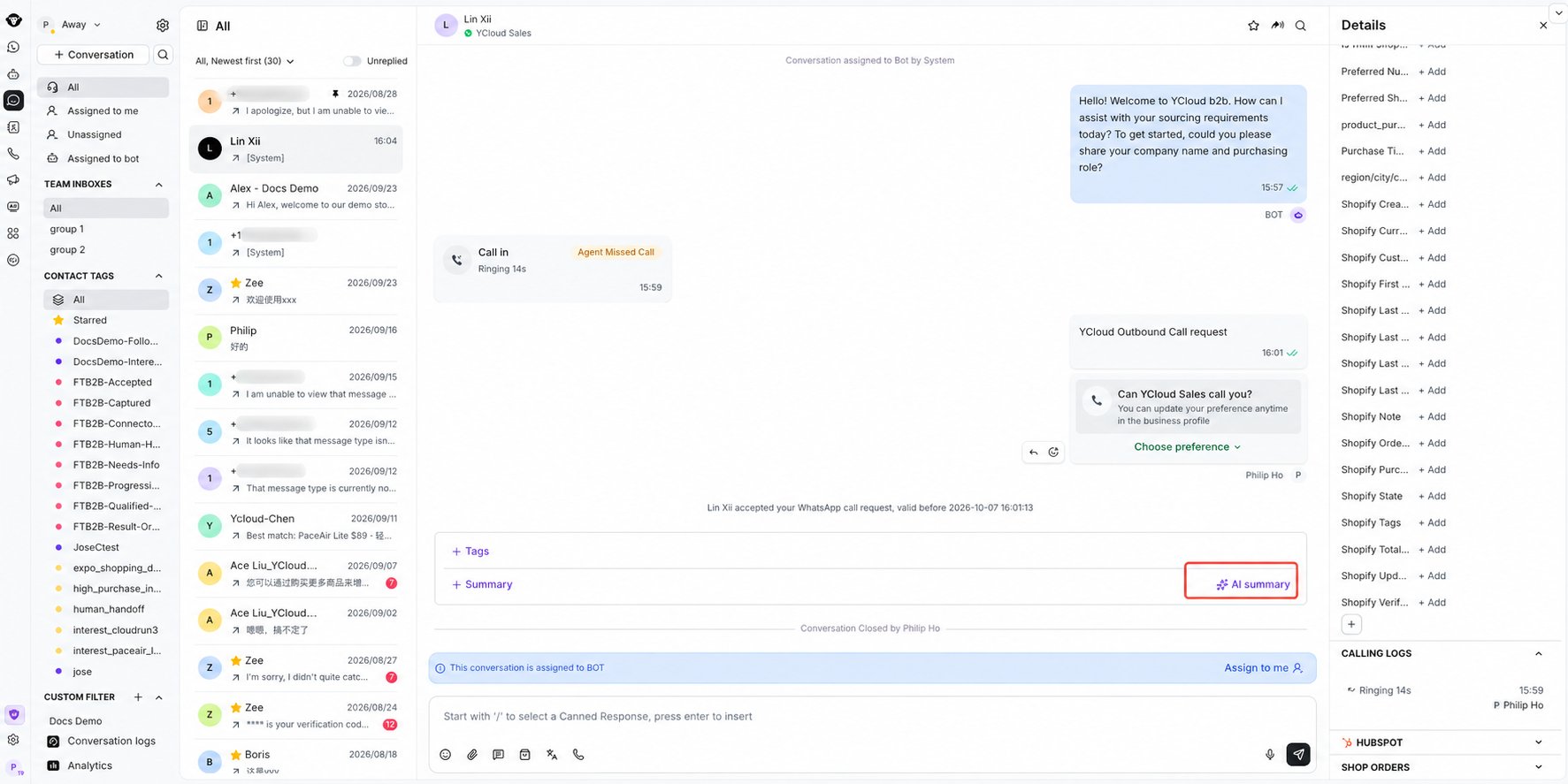
Select AI summary below the conversation to generate a handover summary.
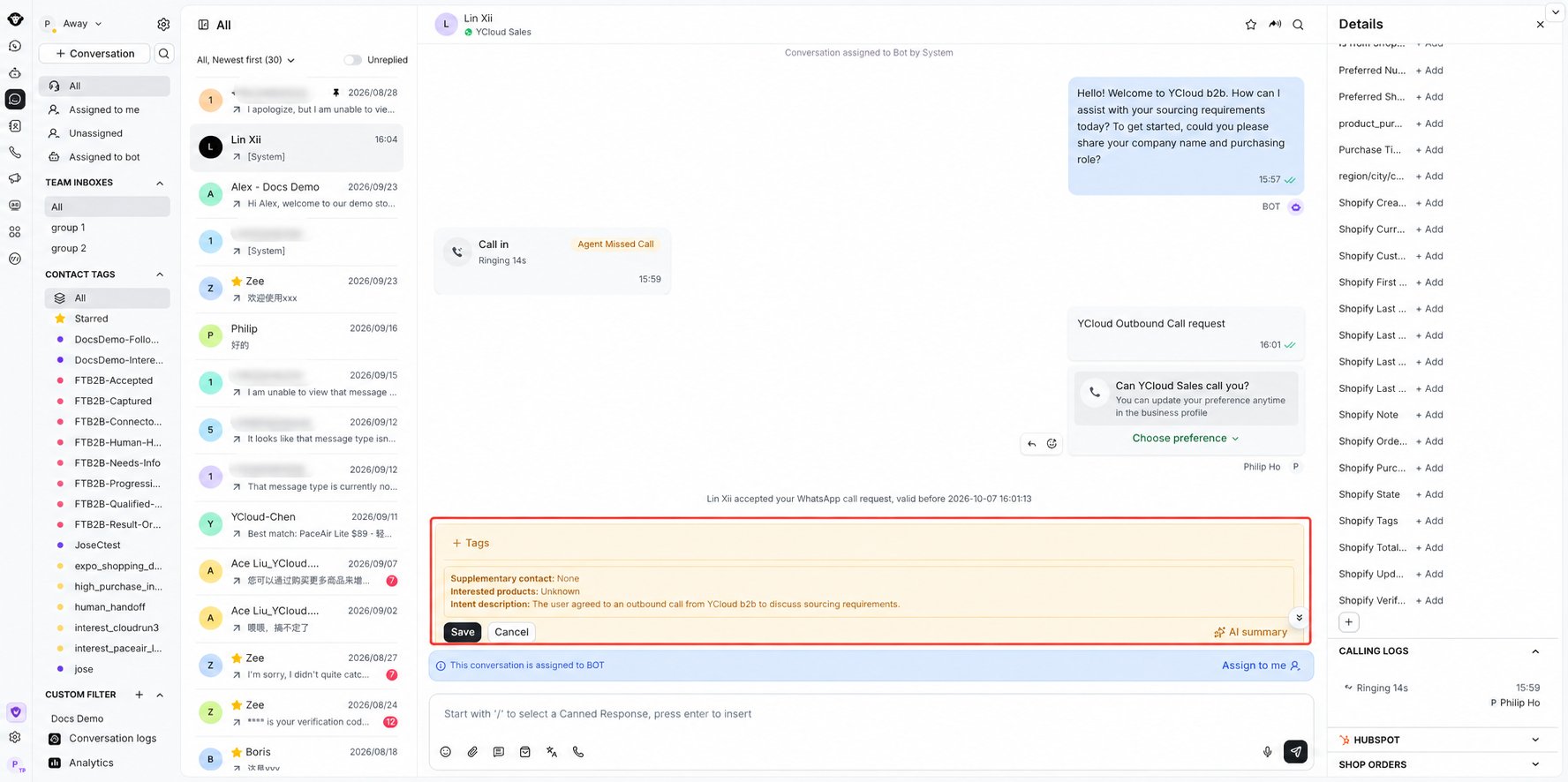
Review and save the generated conversation summary.
Automatic summary
Open Inbox settings using the gear at the top of the left sidebar, then select AI Copilot.
Open Inbox settings using the gear at the top of the left sidebar.

Open AI Copilot and use Auto-summarize conversations upon transfer.
Summary at the end of a conversation
This is mainly for supervisors viewing conversation summaries.Manual summary
At the end of a conversation, manually click the [AI summary] button in the conversation that needs to be summarized to trigger AI Summary.
Select AI summary below the closed conversation to generate a summary.
Automatic summary
In Settings at the lower left of the page, find the Inbox AI Copilot menu and turn on automatic summary when a conversation is closed. This setting takes effect globally. Once enabled, all conversations in Inbox will automatically generate an AI Summary when closed.
Find Auto-summarize conversations upon closure under Settings > Inbox > AI Copilot.
Notes
- Insufficient AI Credits may cause summary generation to fail, so please monitor your balance;
- AI Summary automatically determines your business scenario and generates either a pre-sales summary or an after-sales summary based on the conversation content.