

Trigger
A Trigger defines when a contact enters a Journey. Configure the entry conditions, select the Sender, and choose how often a contact can enter the flow.Configure the entry conditions
Under When to send, define the conditions that a contact must meet to enter the Journey. You can optionally add Audience conditions to further limit which contacts enter. A contact enters the Journey only when the configured entry conditions and any Audience conditions are met.Select a Sender
Select a Sender for the Journey. The Sender is required. The templates you use later in the Journey must be available for the selected Sender’s WhatsApp Business Account.Configure contact controls
Use the available controls to manage contacts in the Journey:- Filter Blocklist excludes contacts on your blocklist.
- Filter WhatsApp Unsubscribers excludes contacts who have unsubscribed from WhatsApp messages.
- Automatically select an available sender for contacts without phone numbers: When enabled, YCloud attempts to select an available Sender for eligible contacts without phone numbers.
Choose an entry rule
Under Enter rules, choose how often a contact can enter the Journey:- Enter once, first time the person matches the rules: A contact enters only the first time they meet the conditions.
- Enter every time the person matches the rules: A contact can enter again whenever they meet the conditions.
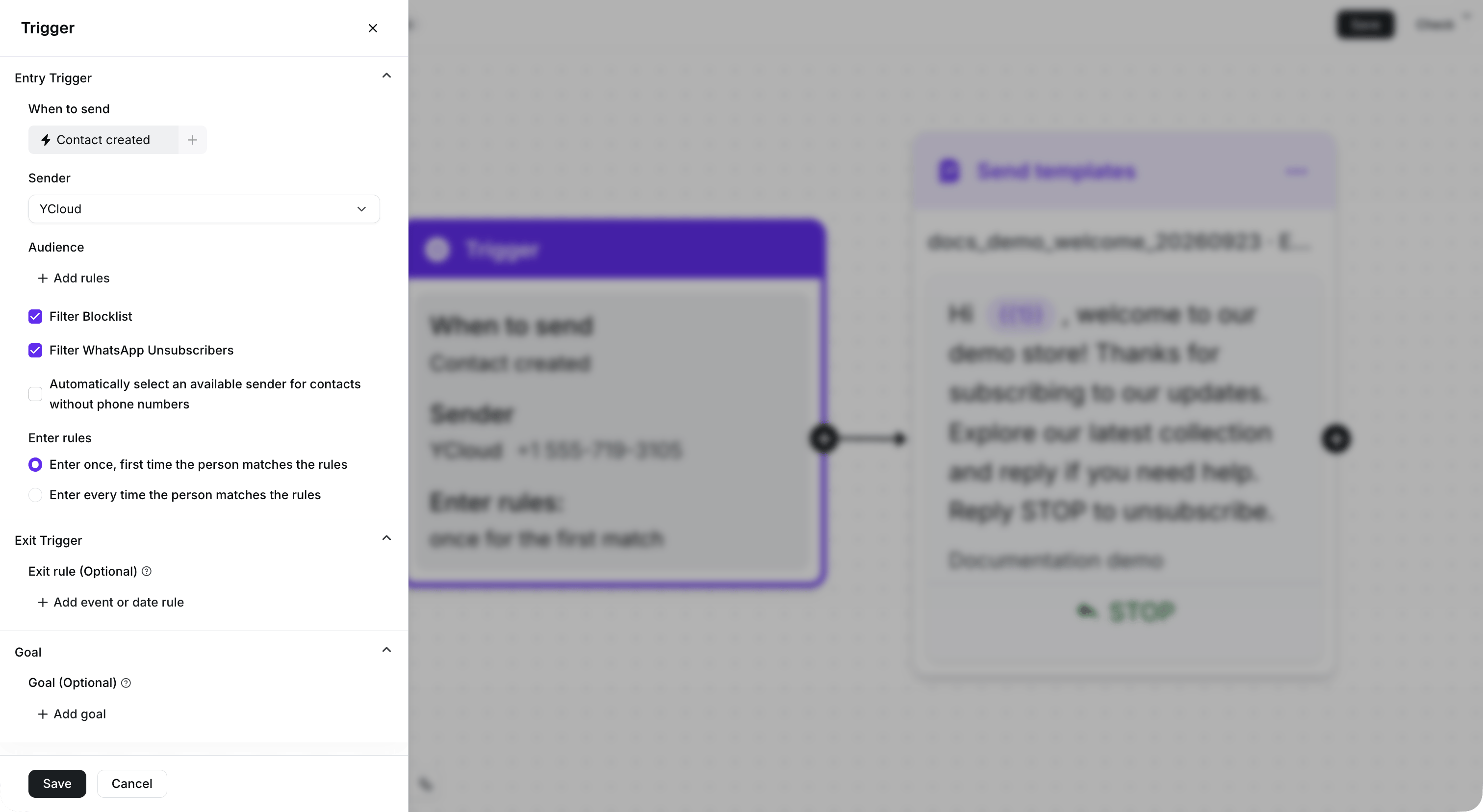
Configure the entry condition, Sender, and entry rule. This demonstration Journey remains inactive.